

Building Lucifer: an open-source AI company you can watch · ⭐ GitHub
🚀 Start here: 1. Meet Lucifer · 2. Why I built it · 3. Architecture
📖 Use it: 4. Getting started · 5. Connect an LLM · 6. Office tour
🛠 Build the engine: 7. Org chart in YAML · 8. Real delegation · 9. Sandboxed tools · 10. Simulation brain
🎨 Build the office: 11. 3D office with R3F · 12. WebSocket + zustand · 13. Visualizing workflow
🧭 What's next: 14. Roadmap · 15. Contributing
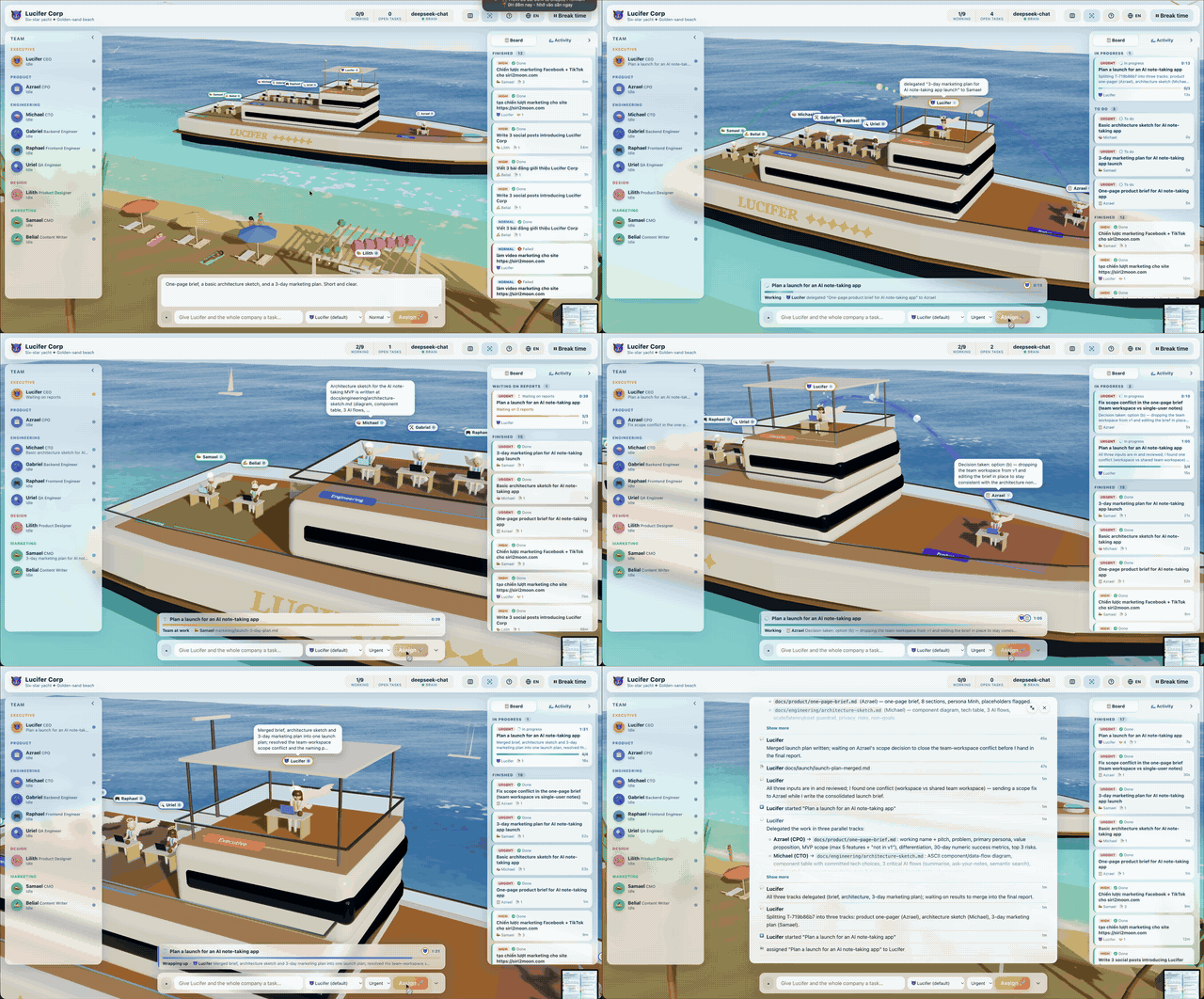
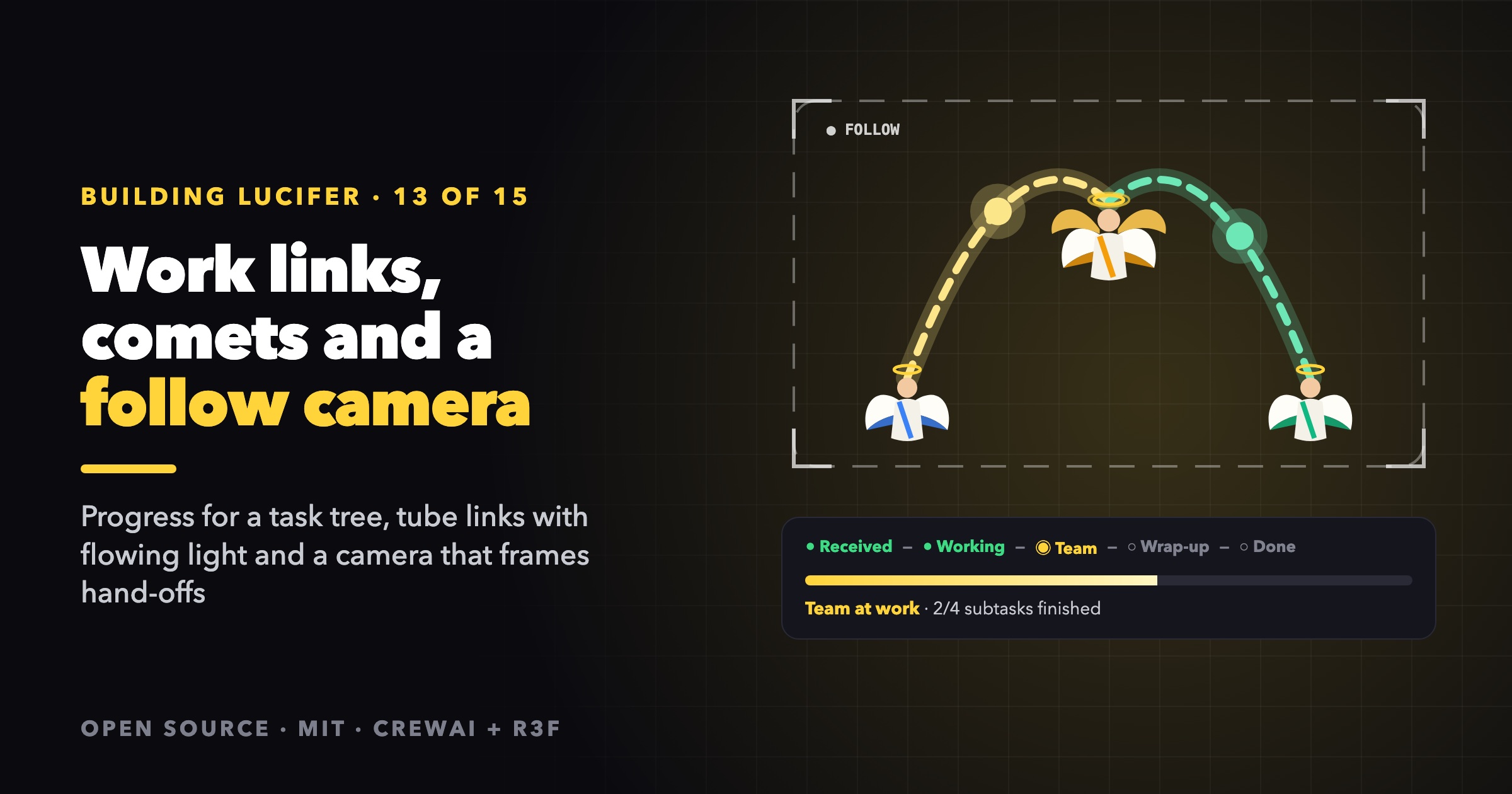
The first version of the Lucifer office showed agents working. It didn't show the work. You assigned a goal and the CEO's laptop glowed, but where did the work go next? Who was waiting on whom? How far along was it? This post covers the features that answer those questions: a progress model for a task tree, phases an owner understands, work links with flowing light, comets for hand-offs and a camera that follows the work.
Start with pure functions
All of the "where does the work stand" logic lives in one file, state/workflow.ts, as pure functions over the store's data. That makes it unit-testable and lets the DOM panels and the 3D scene share the same answers.
/** Subtasks by parent id, oldest first. Build once per render and share it. */
export function childrenIndex(tasks: Record<string, Task>): Map<string, Task[]>

/** The task and all its descendants, depth first. */
export function descendants(rootId: string, tasks: Record<string, Task>, index: Map<string, Task[]>): Task[]

/** The top-level task (the owner's request) a task belongs to. */
export function rootOf(taskId: string, tasks: Record<string, Task>): Task | undefined
childrenIndex is built in one pass over all tasks. descendants walks it with an explicit stack instead of recursion, and rootOf guards against cycles with a seen set. Every mission card, the drawer and the work links use these three functions.
Progress for a whole tree
A progress bar for one task is easy. For a mission (a request and every subtask under it, at every level) the bar has to do three things: move steadily, never go backwards, and never claim "done" before it is.
const WEIGHT: Record<Task["status"], number> = {
  todo: 0, in_progress: 0.4, waiting: 0.5, done: 1, failed: 1, cancelled: 1,
};

export function treeProgress(tree: Task[]): Progress {
  const [root, ...subs] = tree;
  // ...
  let ratio: number;
  if (!isOpen(root)) ratio = 1;
  else if (subs.length === 0) ratio = WEIGHT[root.status] * 0.8;
  else {
    // The root's own work (planning, then merging) counts for a fifth; the subtasks for the rest.
    const subRatio = subs.reduce((sum, t) => sum + WEIGHT[t.status], 0) / subs.length;
    const merging = root.status === "in_progress" && finished === subs.length;
    ratio = 0.1 + subRatio * 0.75 + (merging ? 0.05 : 0);
  }
  return { total: subs.length, finished, failed, activeAgentIds, ratio: Math.min(isOpen(root) ? 0.97 : 1, ratio) };
}
The design choices:
- The root's own work counts. Planning is the first 10 % and merging the last few. A tree where every subtask is done but the CEO hasn't merged yet sits at about 90 %, not 100 %.
- Partial credit for open work.
in_progresscounts 0.4 andwaiting(a manager whose team is busy) counts 0.5, so the bar moves while work happens and not only when tasks finish. - An open root is capped at 97 %. The bar only reaches the end when the request is actually delivered.
- Failed and cancelled count as finished. They are terminal, so the bar doesn't hang on them. The mission's phase and glyph show the failure instead.
Phases an owner understands
Status values are for engines. An owner wants to know what's happening, so the office maps the root's status plus progress to a phase:
export type Phase = "queued" | "working" | "team" | "merging" | "done" | "failed" | "cancelled";

export function phaseOf(root: Task, progress: Progress): Phase {
  switch (root.status) {
    case "done": case "failed": case "cancelled":
      return root.status;
    case "waiting":
      return "team";
    case "todo":
      // Back in the queue after the subtasks finished: the owner will pick it up to merge.
      return progress.total > 0 && progress.finished === progress.total ? "merging" : "queued";
    case "in_progress":
      return progress.total > 0 && progress.finished === progress.total ? "merging" : "working";
  }
}
The interesting case is todo with every subtask finished. To the engine it's simply queued again, but to the owner it is "wrapping up", so that's what the UI says. The drawer's stepper shows the same phases as Received → Working → Team → Wrap-up → Done, and skips the team steps for solo tasks.
Work links: drawing the delegation tree in space
For every open subtask, the office draws an arc from the manager's head to the report's head. Links are grouped by manager-and-report pair, so three subtasks from Michael to Gabriel make one link:
for (const task of Object.values(tasks)) {
  if (!task.parentId || !["todo", "in_progress", "waiting"].includes(task.status)) continue;
  const parent = tasks[task.parentId];
  if (!parent || parent.assigneeId === task.assigneeId) continue;
  const key = `${parent.assigneeId}>${task.assigneeId}`;
  const prev = byPair.get(key);
  byPair.set(key, {
    key, from: parent.assigneeId, to: task.assigneeId,
    color: agents[task.assigneeId]?.appearance.color ?? "#38bdf8",
    flowing: (prev?.flowing ?? false) || task.status === "in_progress",
    highlighted: (prev?.highlighted ?? false) || highlighted.has(task.id),
  });
}
The arc is a quadratic Bézier curve whose control point rises with the distance, so long hand-offs arc higher:
const lift = 1.2 + tmpA.distanceTo(tmpB) * 0.3;
tmpMid.lerpVectors(tmpA, tmpB, 0.5).y += lift;
The lesson: lines are hard, tubes are easy
My first attempt used LineBasicMaterial. WebGL lines are always one pixel wide, which is invisible at this scale. The second used drei's QuadraticBezierLine (a fat Line2), and it simply didn't show up. It stayed invisible even with frustum culling off and an absurd line width.
What worked was boring and reliable: TubeGeometry along the same curve. A link is two tubes:
- a thin core (radius 0.07) with a scrolling stripe texture,
- a wide, faint glow (radius 0.2) that pulses gently while work flows.
const tubes = useMemo(() => shape && ({
  core: new THREE.TubeGeometry(shape.curve, 48, 0.07, 6, false),
  glow: new THREE.TubeGeometry(shape.curve, 48, 0.2, 8, false),
}), [shape]);
Tubes are real meshes. They have thickness from every angle, respect depth and work with any material.
Moving light without moving geometry
Rebuilding tubes every frame would be wasteful, and the yacht bobs constantly. So the tube is rebuilt only when an endpoint moves by more than a rounding step, for example when the angels fly ashore for break time:
const key = [curve.v0, curve.v2].map((v) => `${v.x.toFixed(1)},${v.y.toFixed(1)},${v.z.toFixed(1)}`).join("|");
if (key !== last.current) { /* rebuild */ }
The motion comes from things that are cheap per frame:
- A scrolling texture. The core's map is a 64×4 canvas with white dashes on a translucent strip, set to
RepeatWrapping. Each frame,texture.offset.x -= dt * 1.2marches the dashes from manager to report. The repeat count follows the curve's length, so dashes are the same size on short and long links. - Flow dots. Four white spheres travel along the curve with
curve.getPoint(k), scaled bysin(k·π)so they fade in at the manager and fade out at the report. - Opacity by state. A flowing link is bright, a queued one is faint, and links in the selected mission are boosted.
Comets for hand-offs
Links show standing relationships. Comets show moments. When a task_delegated activity arrives, a gold comet flies down the arc. When a subtask's task_completed arrives, a green comet flies back up to the manager.
function toPacket(a: Activity, tasks: Record<string, Task>): Packet | null {
  if (Date.now() - Date.parse(a.at) > FRESH_MS || !a.agentId) return null;
  if (a.kind === "task_delegated" && a.targetAgentId && a.targetAgentId !== a.agentId) {
    return { id: a.id, from: a.agentId, to: a.targetAgentId, color: "#fde68a", start: performance.now() };
  }
  if (a.kind === "task_completed" && a.taskId) {
    const task = tasks[a.taskId];
    const parent = task?.parentId ? tasks[task.parentId] : undefined;
    if (parent && parent.assigneeId !== a.agentId) {
      return { id: a.id, from: a.agentId, to: parent.assigneeId, color: "#6ee7b7", start: performance.now() };
    }
  }
  return null;
}
- Only fresh events fly. Anything older than 4 seconds is ignored, so a reconnect that replays history doesn't launch a hundred comets.
- New activities only. The effect walks back from the newest activity until the last one it handled, so each event is seen once.
- Ease in and out. The head moves along the curve with an ease-in-out, and four trailing spheres follow slightly behind with shrinking size, which makes the tail.
There was a bug worth sharing here. The first version cleared the comet's removal timer in the effect's cleanup, and the effect re-ran on every new activity. So comets were never removed. The fix keeps timers in a ref and clears them only on unmount. Each batch of comets removes itself once it has landed.
A camera that follows the work
The final piece is the follow camera. First, a pure function decides who to frame:
export function workFocus(agents, tasks, activities, now): string[] {
  const ids = new Set<string>();
  for (const agent of Object.values(agents))
    if (agent.status === "working" || agent.status === "thinking") ids.add(agent.id);
  for (let i = activities.length - 1; i >= 0; i--) {
    const a = activities[i]!;
    if (now - Date.parse(a.at) > HANDOFF_FOCUS_MS) break;   // last 6 seconds only
    if (!a.agentId) continue;
    if (a.kind === "task_delegated" && a.targetAgentId) ids.add(a.agentId).add(a.targetAgentId);
    else if (a.kind === "task_completed" && a.taskId) {
      const parentId = tasks[a.taskId]?.parentId;
      const manager = parentId ? tasks[parentId]?.assigneeId : undefined;
      if (manager) ids.add(a.agentId).add(manager);
    }
  }
  return [...ids].filter((id) => agents[id]).sort();
}
Including both ends of recent hand-offs is what makes it feel directed. When the CTO delegates, the camera frames the CTO and the engineer, so you see the comet travel between them.
Then a framing function turns a set of points into a camera pose:
export function frame(points: THREE.Vector3[], fovDeg: number, aspect: number) {
  if (points.length === 0) return null;
  const sphere = new THREE.Box3().setFromPoints(points).getBoundingSphere(new THREE.Sphere());
  const radius = Math.max(2.5, sphere.radius);
  const vfov = THREE.MathUtils.degToRad(fovDeg);
  // The side panels cover part of the width, so frame as if the view were narrower.
  const hfov = 2 * Math.atan(Math.tan(vfov / 2) * aspect * VISIBLE_WIDTH);
  const distance = THREE.MathUtils.clamp((radius * PADDING) / Math.sin(Math.min(vfov, hfov) / 2), MIN_DISTANCE, HOME_DISTANCE);
  // The mission dock and assign bar cover the bottom, so aim a little low to lift the group up the screen.
  const target = sphere.center.clone().add(new THREE.Vector3(0, 1 - distance * Math.tan(vfov / 2) * LIFT, 0));
  return { target, camera: target.clone().addScaledVector(VIEW_DIR, distance) };
}
- A bounding sphere fits in any orientation. The distance at which a sphere of radius r fits a field of view θ is r / sin(θ/2).
- Use the narrower field of view, and treat the screen as 60 % as wide as it is, because the side panels cover the edges.
- Keep the overview's viewing direction (
VIEW_DIR). Close-ups never rotate the scene, they just move closer, so you never lose your bearings. - Lift the subject. Aim slightly low, so the group sits above the mission dock and the assign bar.
- Clamp between a minimum close-up distance and the overview distance.
The camera rig in World.tsx runs the policy in useFrame, checking every 400 ms:
| Rule | Value | Why |
|---|---|---|
| Minimum time per shot | 2.5 s | Don't twitch on every event |
| Pull back after quiet | 5 s | Return to the overview when nothing moves |
| Wait after the user moves the camera | 20 s after the drag ends | The user always wins |
| Glide | exponential lerp, 1 − e^(−dt·speed) | Smooth at any frame rate |
OrbitControls' onStart cancels any flight and holds the camera as long as the user is dragging. onEnd starts the 20-second hold and resets the shot, so the next automatic move starts from wherever the user left it. F turns the whole thing off.
Tests
workflow.test.ts covers walking the tree, progress (including the cap on an open mission), phases, the latest activity per task, clocks and workFocus. framing.test.ts checks that a small group gets a close-up that keeps the overview's direction, that framing never zooms out past the overview, and that it needs at least one point. Because it's all pure functions, none of these tests needs WebGL.
Takeaways
- Derive "where the work stands" in pure functions, and share them between panels and the scene.
- Design progress for a tree: count the root's own work, give partial credit and cap until delivery.
- Name phases for the owner, not the engine.
- Use tubes, not lines, for anything that must be seen in 3D.
- Animate textures and points, and rebuild geometry only when its shape changes.
- Show moments (comets) as well as state (links), and only for fresh events.
- A follow camera must be polite: hold shots, return home, and always yield to the user.
The code is in state/workflow.ts, scene/WorkLinks.tsx and scene/framing.ts on GitHub.
Next: the roadmap.
Lucifer is open source under the MIT license. Clone it, run it for free with the simulation brain, and ⭐ star it if you'd like to follow along: github.com/siri2moon/lucifer.
Next in the series: The Lucifer Roadmap: Toward an AI Company That Ships Real Products.