

Building Lucifer: an open-source AI company you can watch · ⭐ GitHub
🚀 Start here: 1. Meet Lucifer · 2. Why I built it · 3. Architecture
📖 Use it: 4. Getting started · 5. Connect an LLM · 6. Office tour
🛠 Build the engine: 7. Org chart in YAML · 8. Real delegation · 9. Sandboxed tools · 10. Simulation brain
🎨 Build the office: 11. 3D office with R3F · 12. WebSocket + zustand · 13. Visualizing workflow
🧭 What's next: 14. Roadmap · 15. Contributing
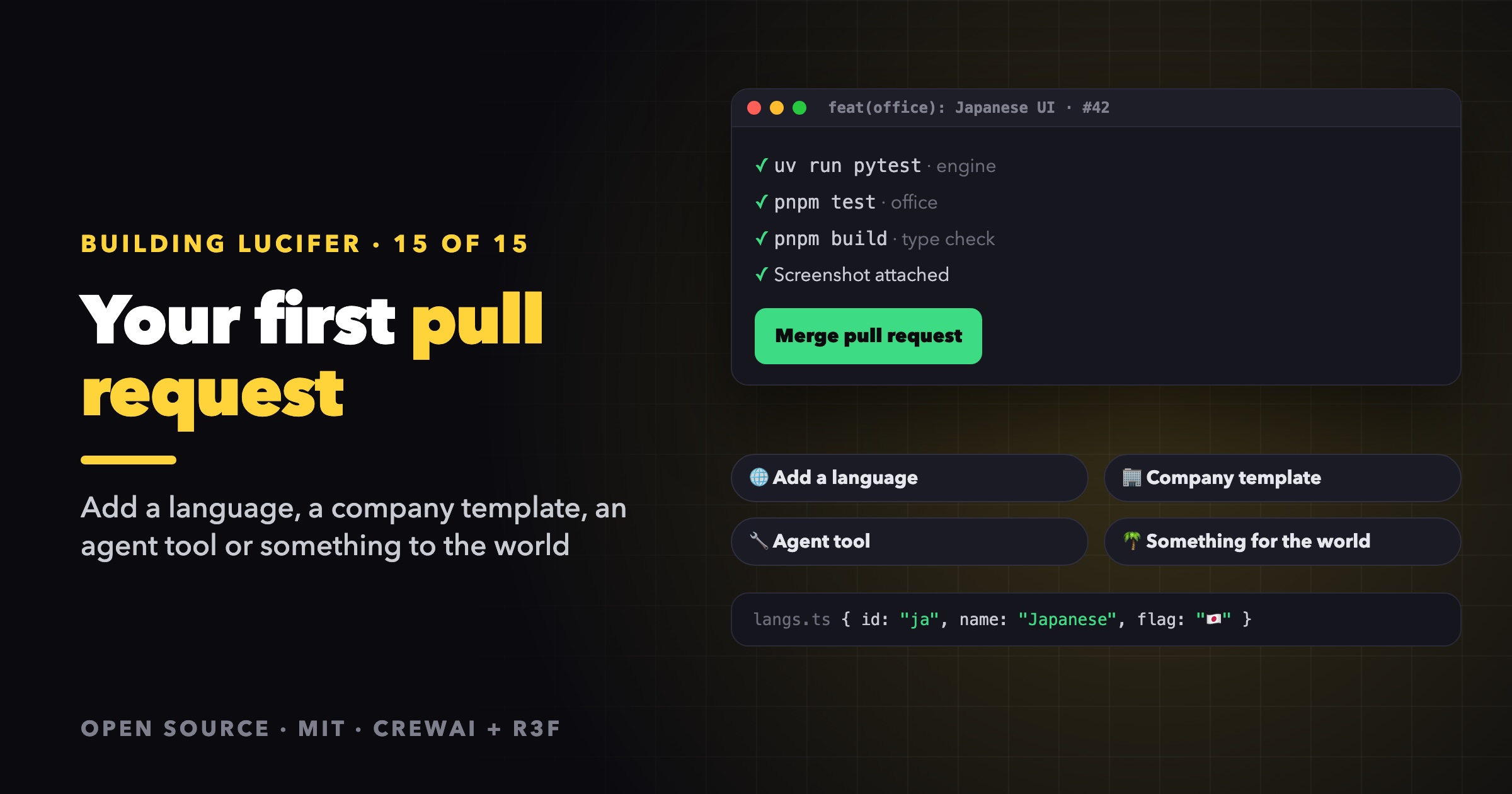
Lucifer is MIT-licensed and built in the open, and every item on the roadmap is open to contributors. This post gets you from a fresh clone to a merged pull request. It covers the setup, four good first contributions with step-by-step instructions, and the rules that keep the project healthy.
Setup
git clone https://github.com/<you>/lucifer.git     # your fork
cd lucifer
cd lucifer-engine && uv sync && cd ..              # uv installs Python 3.13
cd lucifer-office && pnpm install && cd ..
Run the engine without an API key. The simulation brain lets you develop the whole UI and engine flow without spending a token:
cd lucifer-engine && uv run lucifer-engine serve    # terminal 1
cd lucifer-office && pnpm dev                       # terminal 2
The checks to run before a PR
cd lucifer-engine && uv run pytest                  # engine tests, no API key needed
cd lucifer-office && pnpm test && pnpm build        # office tests + type check + production build
Both should pass before you open a pull request.
Four good first contributions
1. Add a UI language
The office speaks English and Vietnamese. Adding a language takes three steps.
a. Register it in lucifer-office/src/langs.ts:
export const LANGS = [
  { id: "en", name: "English", flag: "🇬🇧" },
  { id: "vi", name: "Tiếng Việt", flag: "🇻🇳" },
  { id: "ja", name: "日本語", flag: "🇯🇵" },
] as const;
It then shows up in the 🌐 menu, and browsers set to Japanese pick it automatically on the first visit.
b. Add a dictionary in lucifer-office/src/i18n.ts and register it in MESSAGES:
export const MESSAGES: Record<Lang, Messages> = { en, vi, ja };
The Messages type is derived from the English dictionary, so TypeScript reports every missing key. You can't ship a half-translated UI by accident.
c. Optionally, translate the company, departments and employees under i18n.ja in the org chart YAML.
Agents need no change, because they reply in the language of the task. If the engine should detect your language explicitly, add a pattern to lucifer-engine/src/lucifer_engine/language.py with a test in tests/test_language.py.
2. Share a company template
Org charts are just YAML, so a new template is a great first PR: an agency, a game studio, a law firm, a newsroom. Put it in lucifer-engine/companies/, then check it:
LUCIFER_COMPANY=companies/newsroom.yaml LUCIFER_BRAIN=sim uv run lucifer-engine serve
The loader validates the file at startup (exactly one head, known departments, valid reportsTo), and the office lays it out automatically. Design your own AI company in YAML covers the format and how to write personas that delegate well. Attach a screenshot of your company on the yacht to the PR.
3. Add an agent tool
Tools are where agents get new abilities. The pattern is always the same:
- Add the action to
TaskSession(session.py). Validate inputs, call_assert_open()before any write, and log an activity. - Wrap it as a
_SessionToolinbrains/crew.py, with anargs_schemaand a description written for the model. - Register it in
build_tools. - Test the session method directly, and add it to
brains/sim.pyif the office should show it without tokens.
Sandboxed agent tools walks through a complete example. Tools that reach outside the workspace, such as the web, a shell or an MCP server, are bigger changes. Open an issue first so we can agree on the boundary.
4. Add something to the world
Want palm trees that sway more, a new beach prop or a better sailboat? The scene is all code in lucifer-office/src/scene/, with no model files. A few tips:
- Animate in
useFrameby mutating objects. Don't put per-frame values in React state. - Merge static geometry where you can, so it costs fewer draw calls.
- Use
http://localhost:5173/?lineupfor a close-up preview of the characters. - Attach a screenshot or GIF to every visual PR.
Bigger visual work, like a whole new world, will go through the planned theme API. Open an issue if you want to help design it.
The rules that keep Lucifer healthy
These come from CONTRIBUTING.md:
- One change per PR, and explain the why in the description.
- Follow the surrounding style. The engine uses type hints throughout, and the office uses strict TypeScript.
- English for code: comments, docstrings, log messages and test names. Other languages belong only in translations (
i18n.ts,i18nin org charts) and in test data that exercises them. - Protocol changes go on both sides. Update
protocol.pyandprotocol.ts, and check them againstuv run lucifer-engine schema. - Tests never call a real LLM. Mock at the HTTP layer, like
tests/test_crew.py. CI should never need an API key. - Never commit
.env,data/orworkspace/. They hold secrets and agent output.
Opening a good pull request
A PR that's easy to review has:
- A title that says what changes, for example
feat(office): Japanese UI. - The reason in the description: the problem, and why this is the right fix.
- How you tested it: the commands you ran, and the screenshot or GIF for anything visual.
- A small diff. If it grew, split it.
Reporting issues
Include what you did, what you expected and what happened. For engine problems, attach the engine log with API keys removed. Issues go to github.com/siri2moon/lucifer/issues.
Thank you
Lucifer is a story about getting back up and doing honest work, and it's a better project with more hands on deck. Whether you translate the UI, share a company, add a tool or just ⭐ star the repo, welcome aboard.
Lucifer is open source under the MIT license. Clone it, run it for free with the simulation brain, and ⭐ star it if you'd like to follow along: github.com/siri2moon/lucifer.