

Building Lucifer: an open-source AI company you can watch · ⭐ GitHub
🚀 Start here: 1. Meet Lucifer · 2. Why I built it · 3. Architecture
📖 Use it: 4. Getting started · 5. Connect an LLM · 6. Office tour
🛠 Build the engine: 7. Org chart in YAML · 8. Real delegation · 9. Sandboxed tools · 10. Simulation brain
🎨 Build the office: 11. 3D office with R3F · 12. WebSocket + zustand · 13. Visualizing workflow
🧭 What's next: 14. Roadmap · 15. Contributing
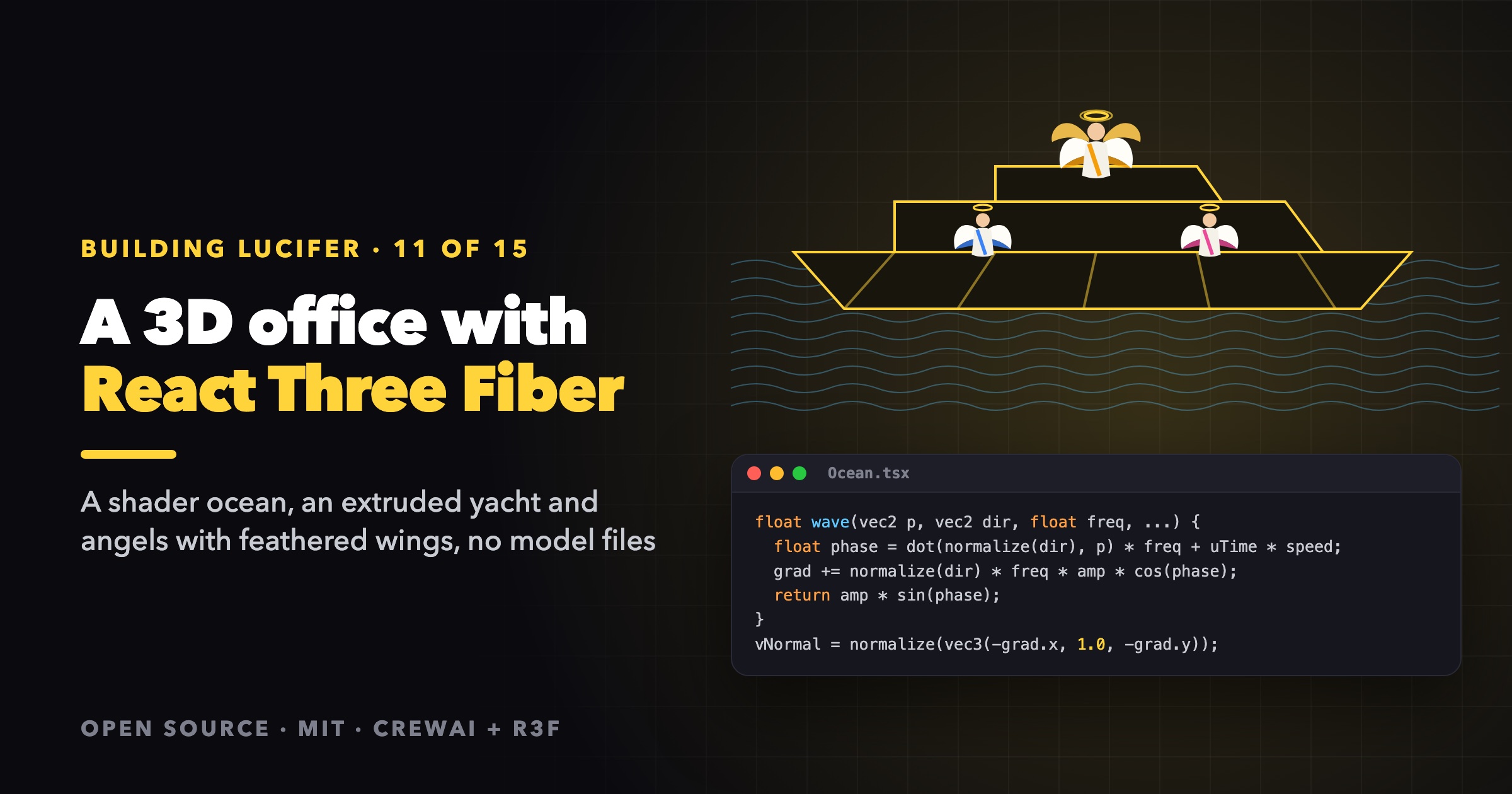
The office in Lucifer is a yacht anchored off a beach, on an animated sea, crewed by angels. It contains no 3D model files. There are no .glb files, no textures to download and no HDR environment map. Everything is built in code with React Three Fiber and drei. This post goes through how, piece by piece.
Why procedural
- The scene is driven by data. The number of decks in use, the desks, the colors and the wings all come from the org chart. A model file can't adapt to a YAML file you wrote five minutes ago.
- It's tiny and quick to load. The whole office is JavaScript, and nothing large is fetched at startup.
- Anyone can change it. Want a bigger bow deck? Change one number in a pull request, without opening Blender.
The canvas
<Canvas
  shadows
  dpr={[1, 2]}
  camera={{ position: HOME_CAMERA.toArray(), fov: 38, near: 0.5, far: 900 }}
  gl={{ antialias: true, toneMapping: THREE.ACESFilmicToneMapping, toneMappingExposure: 1.05 }}
>
  <color attach="background" args={["#9fd6f5"]} />
  <fog attach="fog" args={["#cfe9f7", 120, 420]} />
  <Sky sunPosition={SUN.toArray()} turbidity={5} rayleigh={1.2} />
  {/* Soft reflections for skin, hair and glossy swimwear; built locally, no HDR download. */}
  <Environment resolution={128} environmentIntensity={0.45}>
    <Lightformer form="rect" intensity={2.2} color="#fff4e0" position={[6, 8, 6]} scale={[10, 6, 1]} />
    <Lightformer form="rect" intensity={1.2} color="#bfe6ff" position={[-8, 5, -4]} scale={[12, 5, 1]} />
  </Environment>
  <hemisphereLight args={["#dff3ff", "#f2d38b", 0.75]} />
  <directionalLight position={SUN.toArray()} intensity={2.6} castShadow shadow-mapSize={[2048, 2048]} />
  ...
</Canvas>
Two tricks do most of the work for the mood:
- drei's
<Environment>with<Lightformer>children renders a small environment map from a few glowing rectangles at startup. You get soft, believable reflections without downloading an HDR file. - The same
SUNvector feeds the sky, the directional light and the ocean shader's specular highlight, so the sun's reflection on the water lines up with the shadows.
A shader ocean
The sea is a single planeGeometry (420 × 200 units, 320 × 200 segments) with a custom ShaderMaterial. The vertex shader adds five sine waves and accumulates their derivatives to get the normal analytically, so there's no second pass and no normal map:
// One sine wave: returns its height and adds its derivative to grad.
float wave(vec2 p, vec2 dir, float freq, float amp, float speed, inout vec2 grad) {
  float phase = dot(normalize(dir), p) * freq + uTime * speed;
  grad += normalize(dir) * freq * amp * cos(phase);
  return amp * sin(phase);
}

void main() {
  vec4 world = modelMatrix * vec4(position, 1.0);
  vec2 p = world.xz;
  vec2 grad = vec2(0.0);
  // Waves grow near the shore, then die out at the sand.
  float toShore = uShore - p.y;
  float shoal = mix(1.0, 1.6, smoothstep(40.0, 6.0, toShore)) * smoothstep(-1.0, 4.0, toShore);
  float h = 0.0;
  h += wave(p, vec2(0.15, 1.0), 0.16, 0.32 * shoal, -1.25, grad);
  h += wave(p, vec2(-0.35, 1.0), 0.27, 0.14 * shoal, -1.7, grad);
  h += wave(p, vec2(1.0, 0.25), 0.42, 0.06, 1.3, grad);
  // ...two more small, fast waves
  world.y += h;
  vNormal = normalize(vec3(-grad.x, 1.0, -grad.y));
  gl_Position = projectionMatrix * viewMatrix * world;
}
The fragment shader shades by distance to the shore, which works as a proxy for depth: turquoise in the shallows and deep blue offshore. It adds a Fresnel mix toward the sky color, a sharp sun glint plus a broad sheen, and shore foam from fractal noise along a waterline that rises and recedes over time. The only per-frame JavaScript is one line: material.uniforms.uTime.value = clock.elapsedTime.
An extruded yacht
The hull starts as eight points: the outline seen from above, as (x, half-width) pairs from stern to bow.
const OUTLINE: [number, number][] = [
  [-22, 5.6], [-18, 6.1], [-8, 6.3], [4, 6.0], [12, 5.0], [18, 3.4], [22, 1.6], [25, 0],
];
hullShape() mirrors it into a closed THREE.Shape, and ExtrudeGeometry with a bevel turns that into solid layers, rotated to stand upright:
- a navy lower hull,
- a white upper hull,
- a thin gold stripe, scaled up very slightly so it sits on the surface,
- a teak deck, inset from the edge.
Glass rails follow the same outline, and the upper and sky decks are smaller extrusions stacked on top. The name on the hull is a CanvasTexture, with text drawn on a 2D canvas at runtime. To make the boat float, a useFrame bobs and rolls the whole group with three slow sines:
g.position.y = position[1] + Math.sin(t * 0.8) * 0.12;
g.rotation.z = Math.sin(t * 0.55) * 0.012;
g.rotation.x = Math.sin(t * 0.7 + 1) * 0.01;
Because the agents are children of the yacht group, they bob with it for free.
Desks from the org chart
computeLayout(departments, agents) is a pure function, unit-tested in office.test.ts, that turns the org chart into seats:
- Zones are fixed spots with a capacity: the sky deck (2), upper deck (6), aft deck (4), bow deck (3), a beach cabana (4) and a beach bar (6).
- The head's department takes the sky deck. The others, largest first, take the next free zone with enough room.
- Inside a zone, people with reports in the department sit in front. Desks prefer a single row at least 2.2 units apart, so name tags don't overlap when viewed at an angle, and everyone faces the beach, toward the camera.
The Office component memoizes the layout on a structure key:
const structureKey = list.map((a) => `${a.id}:${a.departmentId}:${a.managerId}`).join("|");
Agents change status many times a second, but the layout only depends on who sits where, so status updates never move a desk.
Angels
Each agent is a Person (body, head, hair, outfit and a pose system for sitting, standing, swimming and more) plus an Angel layer with wings, a halo, a tunic and a stole.
Wings are built feather by feather. Each feather is a flattened, squashed sphere, rooted on the wing's leading edge and rotated outward. The wing has rows of primaries, secondaries and coverts. Each feather's vertex colors fade from white at the root to the agent's color at the tip. Then every feather in a wing is merged into one geometry with mergeGeometries, so a whole wing costs a single draw call:
function feather(root, angle, length, width, z, tint, tintAmount) {
  const g = featherBase.clone();
  g.scale(width, length / 2, 0.013);
  g.translate(0, -length / 2, 0);
  // vertex colors: white at the root → tint at the tip
  ...
  g.rotateZ(angle + Math.PI / 2);
  g.translate(root.x, root.y, z);
  return g;
}
The halo is a gold torus with a glow sprite. Its opacity follows the agent's energy, which is 1 while working, 0.35 while thinking and 0.1 otherwise, so a busy angel visibly shines. The head of the company is a seraph: two pairs of golden wings and a double halo, chosen by managerId === null.
Looks are stable per id. A small hash of the agent's id picks skin tone, hair and outfit details, so Michael looks the same on every load and on every machine, with no stored avatar data.
Status you can read from across the room
An AgentAvatar reads the agent's status every frame and drives:
- the laptop screen's emissive color and flicker (a steady bright blue while working, a pulsing violet while thinking, amber while waiting),
- the body's energy, which controls typing and breathing speed,
- effects above the head: violet orbs rising while thinking, amber crystals spinning while waiting.
All of it happens in useFrame by mutating Three.js objects directly. A status change re-renders one small component, and the animation itself never touches React.
Name tags without React renders
Name tags and speech bubbles are plain DOM elements, which gives crisp text, CSS styling and easy i18n. They have to follow 3D positions at 60 fps, though. The answer is a LabelProjector inside the canvas that writes straight into each element's style:
useFrame(() => {
  for (const [id, el] of labelElements) {
    const anchor = agentAnchors.get(id);
    if (!anchor) { el.style.display = "none"; continue; }
    anchor.getWorldPosition(v);
    v.y += LABEL_HEIGHT;
    const dist = camera.position.distanceTo(v);
    v.project(camera);
    if (v.z > 1) { el.style.display = "none"; continue; }   // behind the camera
    const x = ((v.x + 1) / 2) * size.width;
    const y = ((1 - v.y) / 2) * size.height;
    const scale = THREE.MathUtils.clamp(48 / dist, 0.7, 1.1);
    el.style.transform = `translate3d(${x.toFixed(1)}px, ${y.toFixed(1)}px, 0) translate(-50%, -100%) scale(${scale.toFixed(3)})`;
    el.style.zIndex = String(Math.round(1000 - dist));
  }
});
agentAnchors is a module-level Map<string, Object3D> that each avatar registers itself in. The work links and the follow camera use the same map to find agents, so there's one source of truth for "where is Michael right now", even while he's flying to the beach on break.
The beach and the details
Around the yacht: sand whose height follows a slope plus gentle dunes (sandHeight(x, z), starting at the same SHORE_Z waterline the ocean shader uses), palm trees, umbrellas, loungers and towels, a beach bar, seagulls circling on sine paths, a sailboat on the horizon and beachgoers who rotate through activities. On break time, each angel gets a plan (coffee, a swim, sunbathing, a stroll, a chat or a glide), flies ashore along an arc and flies back when you clock in.
Performance notes
- Merge static geometry. Every wing is one draw call.
- Animate in
useFrame, not in state. React renders when data changes, never per frame. - Memoize on structure, not on objects. Layout and tube geometries are rebuilt only when what they depend on changes.
- Reuse temporary vectors. Module-level
THREE.Vector3s avoid allocating inside frame loops. dpr={[1, 2]}caps the pixel ratio on high-density screens.
Try it
cd lucifer-office && pnpm dev
# open http://localhost:5173/?lineup for a close-up of every character
The ?lineup page lines up every character, which is handy when you're tweaking wings or outfits. The scene code is in lucifer-office/src/scene on GitHub.
Next: how the office stays in sync with the engine.
Lucifer is open source under the MIT license. Clone it, run it for free with the simulation brain, and ⭐ star it if you'd like to follow along: github.com/siri2moon/lucifer.
Next in the series: Streaming Agent State to the Browser with WebSocket and zustand.