

Building Lucifer: an open-source AI company you can watch · ⭐ GitHub
🚀 Start here: 1. Meet Lucifer · 2. Why I built it · 3. Architecture
📖 Use it: 4. Getting started · 5. Connect an LLM · 6. Office tour
🛠 Build the engine: 7. Org chart in YAML · 8. Real delegation · 9. Sandboxed tools · 10. Simulation brain
🎨 Build the office: 11. 3D office with R3F · 12. WebSocket + zustand · 13. Visualizing workflow
🧭 What's next: 14. Roadmap · 15. Contributing
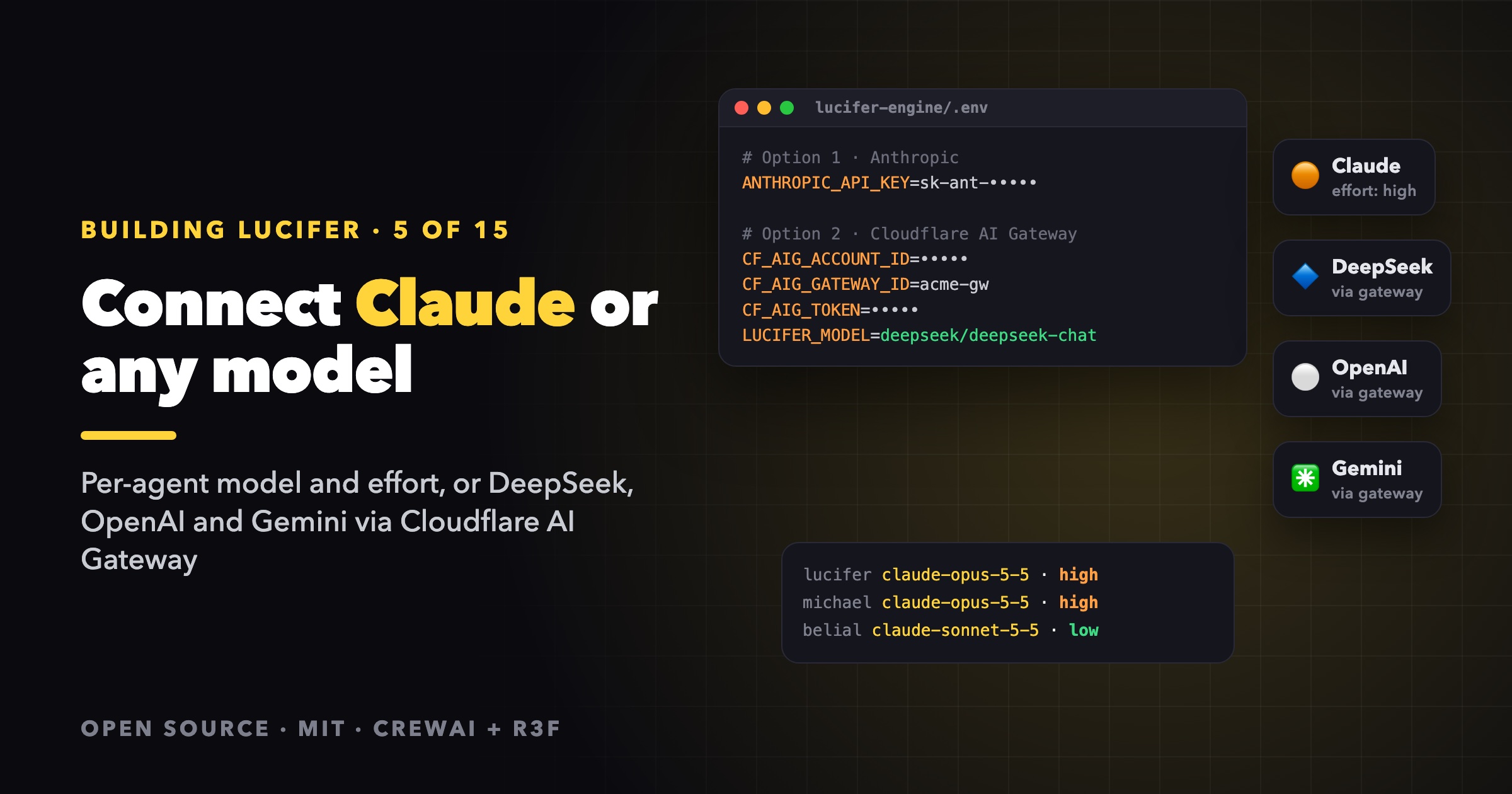
The simulation brain is great for exploring Lucifer, but its deliverables are placeholders. To get real PRDs, architectures and marketing plans, connect an LLM. There are two options:
- Anthropic Claude, natively, with a model and an effort level per employee.
- Cloudflare AI Gateway, which puts DeepSeek, OpenAI, Gemini, Workers AI or anything else the gateway supports behind one endpoint.
Both are configured in lucifer-engine/.env. Copy .env.example to .env, choose one option, and restart the engine. The office top bar then shows the model that is running instead of Simulation.
⚠️ Real agents spend real tokens. One goal given to the CEO can turn into ten or more work sessions. Start with a small task assigned directly to one employee before you give the CEO a big goal.
How the engine picks a brain
| Variable | Default | |
|---|---|---|
LUCIFER_BRAIN | auto | auto, crew or sim. auto picks crew when the selected LLM has a key |
LUCIFER_LLM | auto | anthropic or gateway. Defaults to gateway when any CF_AIG_* variable is set |
LUCIFER_MODEL | One model for every employee, overriding the org chart. Required for gateway |
So in practice, setting the keys for one provider is enough.
Option 1: Anthropic Claude
# lucifer-engine/.env
ANTHROPIC_API_KEY=sk-ant-...
That's it. Each employee uses the model and effort from the org chart. In the default company, everyone runs claude-opus-5-5, the CEO and the CTO at effort: high (they plan and review), and everyone else at medium.
You can change that per employee in companies/lucifer-corp.yaml:
defaults:
  model: claude-opus-5-5
  effort: medium

employees:
  - id: lucifer
    title: CEO
    effort: high          # decides and merges: worth the extra thinking
  - id: belial
    title: Content Writer
    model: claude-sonnet-5-5
    effort: low           # short social posts don't need deep reasoning
effort is one of low, medium, high, xhigh or max. It is the cheapest dial you have. Lower effort means fewer thinking tokens and faster turns.
What the engine adds on top of CrewAI
CrewAI's native Anthropic provider doesn't send every parameter Lucifer uses yet, so the engine extends it as LuciferAnthropic:
class LuciferAnthropic(AnthropicCompletion):
    effort: Effort | None = None
    fallbacks: bool = False

    def _prepare_completion_params(self, *args, **kwargs):
        params = super()._prepare_completion_params(*args, **kwargs)
        extra_body = {}
        if self.effort:
            extra_body["output_config"] = {"effort": self.effort}
        if self.fallbacks:
            extra_body["fallbacks"] = "default"
            params["extra_headers"] = {"anthropic-beta": FALLBACK_BETA}
        if extra_body:
            params["extra_body"] = extra_body
        return params
output_config.effortcarries each employee's effort level.fallbacks: "default"means a request the safety classifier declines is retried on a fallback model, instead of failing the task. Turn it off withLUCIFER_FALLBACKS=0.
CrewAI adds prompt caching on its own. Lucifer helps it along: an agent's backstory depends only on the company and the agent's position, never on the task, so the long prefix of every request is the same from one work session to the next and can be cached.
Note: CrewAI's provider reads
ANTHROPIC_API_KEYonly. It does not use anant auth loginprofile.
Option 2: Cloudflare AI Gateway
Cloudflare AI Gateway gives you one OpenAI-compatible endpoint in front of many providers, with caching, rate limits, logs and fallbacks managed on Cloudflare. Lucifer calls its /compat/chat/completions endpoint.
The simplest setup stores your provider key on the gateway (BYOK), so the engine only needs a Cloudflare token:
# lucifer-engine/.env
CF_AIG_ACCOUNT_ID=<account id>
CF_AIG_GATEWAY_ID=<gateway id>
CF_AIG_TOKEN=<Cloudflare API token>
LUCIFER_MODEL=deepseek/deepseek-chat
LUCIFER_MODEL is provider/model, for example deepseek/deepseek-chat or openai/gpt-5. It can also be dynamic/<route> to let a dynamic route on Cloudflare choose the model, which is how you configure retries and fallbacks across providers.
The demo video for live work in the Lucifer README was recorded exactly like this, with DeepSeek.
The variables you might need
| Variable | When |
|---|---|
CF_AIG_BYOK_ALIAS | Your stored provider key is not named default. Without it the gateway answers no BYOK credential named 'default'. |
CF_AIG_PROVIDER_KEY | You don't store the provider key on Cloudflare. The token then goes in the cf-aig-authorization header. |
CF_AIG_BASE_URL | You use a custom domain. Overrides the whole /compat URL. |
LUCIFER_STRICT_TOOLS | 1 sends tools with strict: true. Use it with OpenAI models only. |
Why strict tools are off by default
CrewAI always sends tool definitions with strict: true, which is an OpenAI mode. DeepSeek and many other providers reject requests that use it. The gateway brain removes the flag unless you opt in:
class GatewayCompletion(OpenAICompletion):
    strict_tools: bool = False

    def _convert_tools_for_interference(self, tools):
        converted = super()._convert_tools_for_interference(tools)
        if not self.strict_tools:
            for tool in converted:
                tool["function"].pop("strict", None)
        return converted
Through the gateway, the Claude-specific effort and server-side fallbacks are not sent.
Keeping the bill under control
A few habits that keep costs predictable:
- Start small and direct. Assign a single deliverable to one employee, for example "Write 3 social posts about our launch, save them to content/launch-posts.md" for Belial. One work session, a few tool calls.
- Write a clear brief. Ask for named files and a specific scope. A vague goal makes the CEO delegate broadly, and every delegation is another session.
- Tune
effortper role. Planning roles benefit fromhigh. Writers and specialists often do fine atmediumorlow. - Limit concurrency.
LUCIFER_MAX_CONCURRENT(default 4) caps how many agents work at once. It won't reduce the total, but it slows the spend down and keeps it observable. - Watch the stats. Click an angel and its drawer shows the tokens it has used so far, so you can see who is expensive.
- Cancel freely. Cancelling a task in its drawer cancels all its open subtasks, and running sessions stop at their next step.
- Use the simulation brain for UI work. Set
LUCIFER_BRAIN=simwhile you develop, even with keys in.env.
Language
You don't configure a language. The engine detects it from your request (Vietnamese, Japanese, Korean, Chinese, Thai and English are recognized) and passes it down to every subtask. Each brief tells the agent to write files, updates and summaries in that language. Write the request in Vietnamese and the whole company answers in Vietnamese. To force a language, pass "language": "Vietnamese" to POST /api/tasks.
Next
- Tour the office to see what your agents are doing.
- Design your own company with the model and effort that fit each role.
The code is on GitHub at siri2moon/lucifer.
Lucifer is open source under the MIT license. Clone it, run it for free with the simulation brain, and ⭐ star it if you'd like to follow along: github.com/siri2moon/lucifer.
Next in the series: A Tour of the Lucifer Office: Missions, Work Links, Follow Camera and Break Time.