

Building Lucifer: an open-source AI company you can watch · ⭐ GitHub
🚀 Start here: 1. Meet Lucifer · 2. Why I built it · 3. Architecture
📖 Use it: 4. Getting started · 5. Connect an LLM · 6. Office tour
🛠 Build the engine: 7. Org chart in YAML · 8. Real delegation · 9. Sandboxed tools · 10. Simulation brain
🎨 Build the office: 11. 3D office with R3F · 12. WebSocket + zustand · 13. Visualizing workflow
🧭 What's next: 14. Roadmap · 15. Contributing
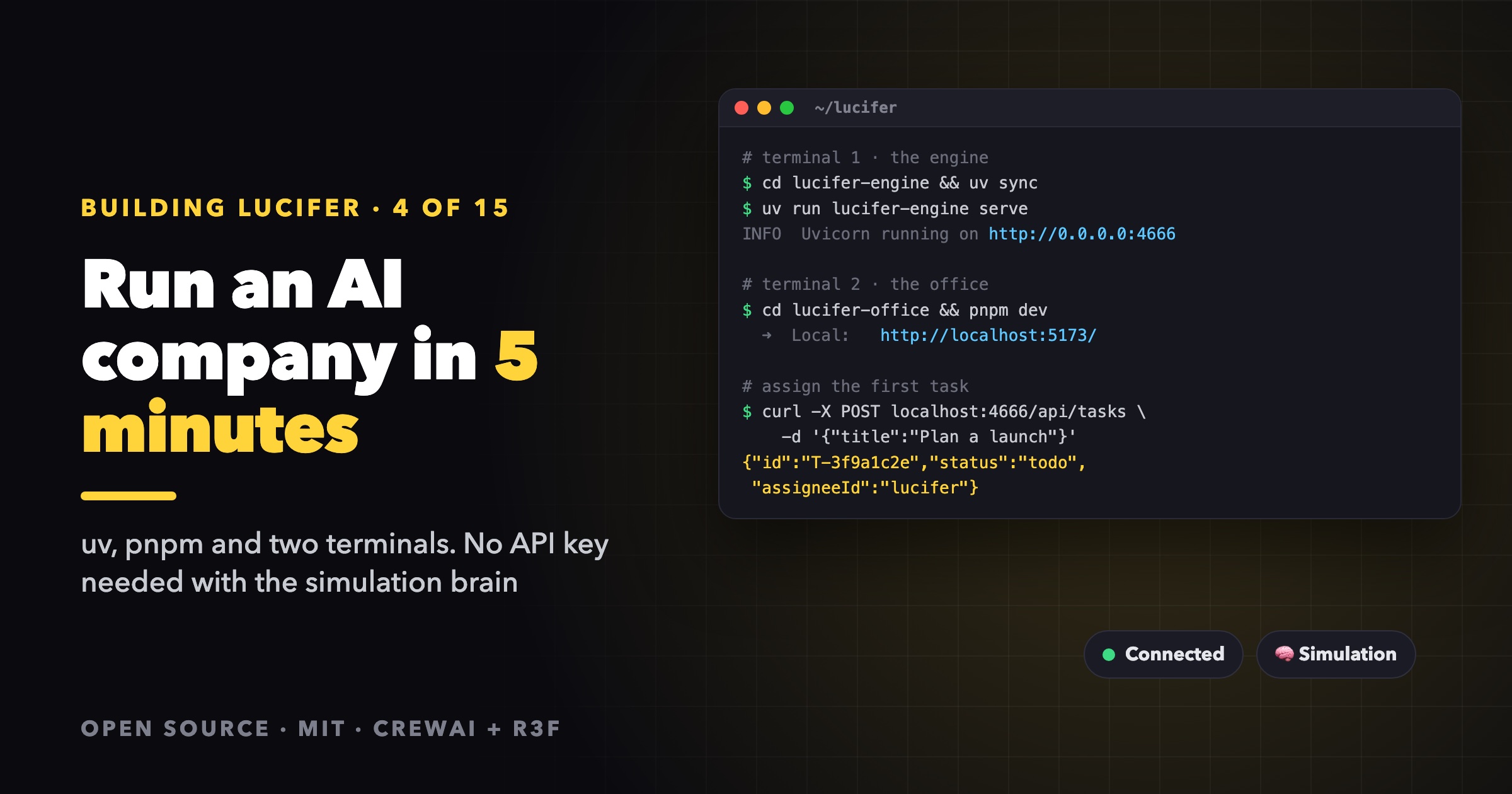
By the end of this post you'll have an AI company running on your machine, a 3D office to watch it in, and a first task delivered. None of it needs an API key: Lucifer ships with a simulation brain, so the whole flow works for free. You can connect a real LLM once you like what you see.
1. Install the tools
You need two package managers:
- uv for the Python engine. It installs Python 3.13 for you, so you don't need to set up Python yourself. CrewAI doesn't support 3.14 yet.
- pnpm with Node.js 20.19+ or 22.12+ for the office.
On macOS:
brew install uv pnpm node
On Linux, follow the install pages for uv and pnpm.
2. Clone the repository
git clone https://github.com/siri2moon/lucifer.git
cd lucifer
You'll see two packages: lucifer-engine (the company) and lucifer-office (the 3D office).
3. Start the engine
cd lucifer-engine
uv sync
uv run lucifer-engine serve
The engine listens on http://localhost:4666 and starts the company right away. With no key configured it runs the sim brain. Check that it's alive:
curl localhost:4666/health
# {"ok":true}
Interactive API docs are at http://localhost:4666/docs.
4. Start the office
In a second terminal:
cd lucifer-office
pnpm install
pnpm dev
Open http://localhost:5173. The top bar shows which brain is running. The Vite dev server proxies /api and /ws to the engine, so there's nothing else to configure. To point it at an engine elsewhere, run LUCIFER_ENGINE_URL=http://host:port pnpm dev.
On your first visit a short guide opens. It introduces the story, the crew, how to assign work and how to read the office. You can reopen it any time with the Guide button or the ? key. The UI follows your browser's language (English or Vietnamese), and the 🌐 menu switches it.
5. Give the company its first task
Type a goal into the bar at the bottom, for example:
Plan the launch of an AI note-taking app A product brief, a technical outline and a two-week marketing plan, each in its own file.
Click ▴ to add the description, then press Assign 🚀.
Here's what happens next:
- A mission card appears above the assign bar with the phase Queued, then Working.
- Lucifer, the CEO on the sky deck, starts thinking. His laptop glows and a speech bubble says what he's doing.
- A gold comet flies to each manager he delegates to. A glowing link appears between them, and the camera glides in to frame the hand-off.
- The managers delegate in turn. The mission phase changes to Team at work, and the progress bar streams.
- Each finished subtask sends a green comet back up. When the whole team is done, the phase becomes Wrapping up and the CEO merges the results.
- The mission turns Done. Click it to open the task drawer with the full delegation tree, the log, the result and the files.
With the simulation brain, a whole run takes under a minute. The deliverables are placeholders, but every step is real: real tasks, real delegation and real files in lucifer-engine/workspace/.
Skip the hierarchy
The Assignee dropdown next to the input lets you hand a task straight to one angel. For example, give Belial (Content Writer) "Write 3 social posts introducing Lucifer Corp". Small, direct tasks are also the cheapest way to test a real LLM later. You can set a priority (low, normal, high or urgent) too. Each idle employee always picks its highest-priority todo first.
Not sure what to ask?
When the board is empty, it suggests example tasks. Click one to fill in the assign bar.
6. Assign work from the terminal
Everything in the office goes through the same REST API, so you can script it:
curl -X POST localhost:4666/api/tasks -H 'content-type: application/json' \
  -d '{"title":"Launch an AI note-taking app","description":"We need a PRD, a technical architecture and a marketing plan"}'
The task appears in the office immediately. A few more useful calls:
curl localhost:4666/api/tasks                      # every task
curl localhost:4666/api/tasks/T-xxxxxxxx           # one task, with subtasks and activities
curl -X POST localhost:4666/api/tasks/T-xxxxxxxx/cancel
curl localhost:4666/api/files                      # what the agents wrote
curl -X POST localhost:4666/api/engine/stop        # break time
curl -X POST localhost:4666/api/engine/start       # back to work
Add "assigneeId":"belial" to skip the CEO, or "language":"Vietnamese" to force the reply language. Otherwise it is detected from your text.
7. Where things are stored
| Path | What |
|---|---|
lucifer-engine/data/state.json | Agents, tasks and the activity log. Survives restarts. |
lucifer-engine/workspace/ | Every file the agents write. Browse it from a task drawer, too. |
Tasks that were running when you stopped the engine go back to the queue and are redone on the next start. To start fresh, stop the engine and delete data/ and workspace/.
Troubleshooting
- The office says "Connecting…" or "Engine offline". The engine isn't running, or it isn't on port 4666. Check the first terminal.
- Nothing moves after I assign. The company may be on break. Press Clock in in the top bar, or
POST /api/engine/start. uv syncpicks the wrong Python. uv readsrequires-pythonfrompyproject.tomland downloads 3.13 itself. Make sure you are running a recent uv.
Next steps
- Connect a real LLM, Claude or anything behind Cloudflare AI Gateway.
- Take the full office tour.
- Design your own company in YAML.
The code is all on GitHub at siri2moon/lucifer.
Lucifer is open source under the MIT license. Clone it, run it for free with the simulation brain, and ⭐ star it if you'd like to follow along: github.com/siri2moon/lucifer.
Next in the series: Connect a Real LLM to Lucifer: Claude or Any Model via Cloudflare AI Gateway.