

Building Lucifer: an open-source AI company you can watch · ⭐ GitHub
🚀 Start here: 1. Meet Lucifer · 2. Why I built it · 3. Architecture
📖 Use it: 4. Getting started · 5. Connect an LLM · 6. Office tour
🛠 Build the engine: 7. Org chart in YAML · 8. Real delegation · 9. Sandboxed tools · 10. Simulation brain
🎨 Build the office: 11. 3D office with R3F · 12. WebSocket + zustand · 13. Visualizing workflow
🧭 What's next: 14. Roadmap · 15. Contributing
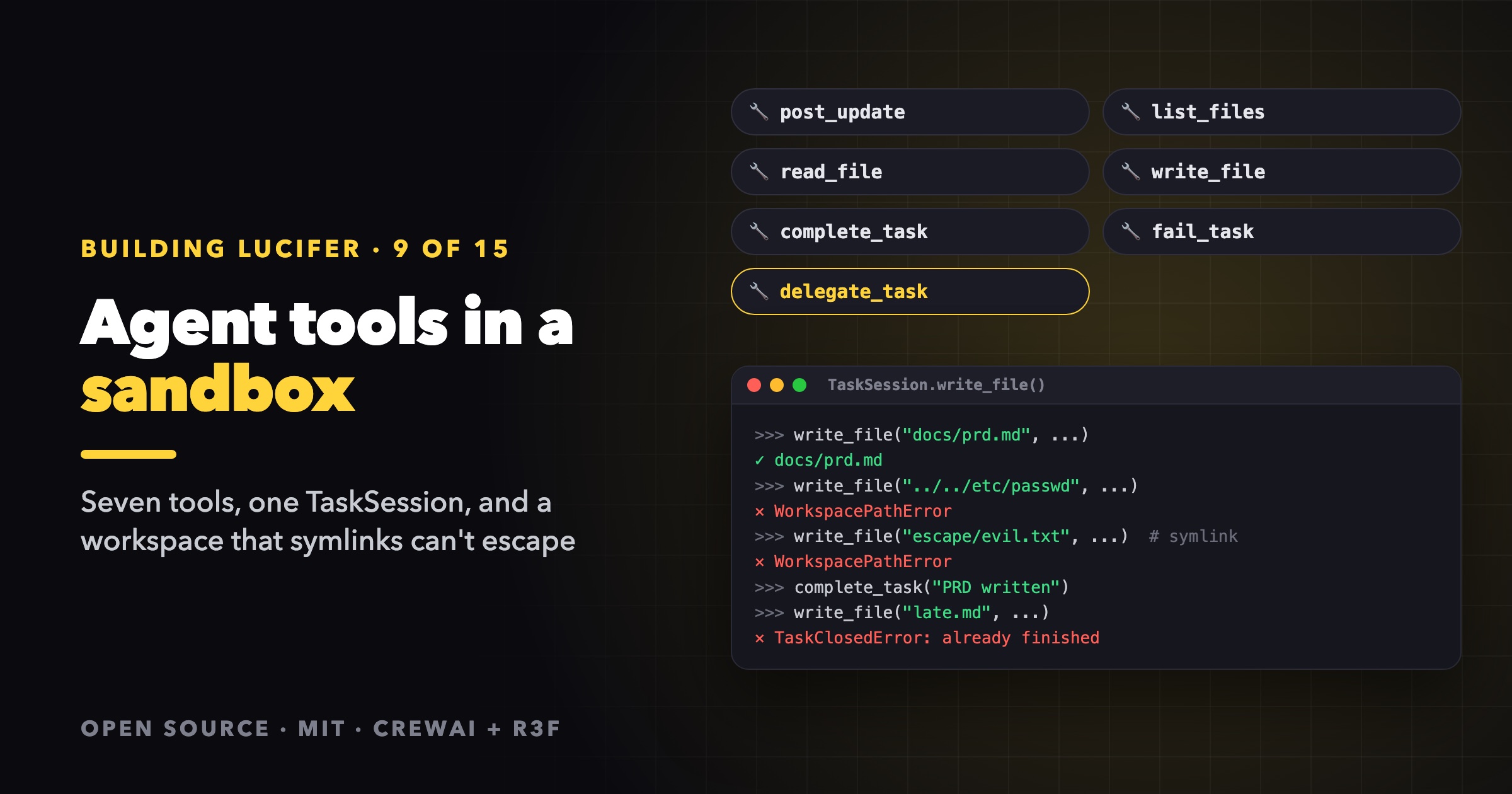
An agent is only as useful as its tools, and only as safe as the boundary around them. Lucifer gives every agent a small, deliberate set of seven tools, and routes all of them through one class that enforces the company's rules. This post walks through both, then shows how to add a tool of your own.
The seven tools
| Tool | What it does | Who gets it |
|---|---|---|
post_update | Posts a one-sentence progress update (a speech bubble in the office) | Everyone |
list_files | Lists files in the shared workspace | Everyone |
read_file | Reads a workspace file | Everyone |
write_file | Creates or overwrites a workspace file | Everyone |
complete_task | Marks the task done, with a summary | Everyone |
fail_task | Marks the task failed, with a specific reason | Everyone |
delegate_task | Creates a subtask for a report | Only people with reports |
That's the whole surface. There's no shell, no network and no arbitrary code. Agents produce documents, plans and code as files, and colleagues read each other's files. A sandboxed code runner and web research are on the roadmap, and they'll arrive as new tools behind the same boundary.
Each tool's description is written for the model and says when to use it, not just what it does:
class CompleteTaskTool(_SessionTool):
    name: str = "complete_task"
    description: str = "Mark the task as done. Call it once, when the final deliverable exists."

class FailTaskTool(_SessionTool):
    name: str = "fail_task"
    description: str = "Mark the task as failed when it cannot be completed."
    # args: reason = "The specific reason, and what would be needed to finish it"
TaskSession: one place for the rules
Brains never touch the store directly. They get a TaskSession, and every tool calls a method on it:
class TaskSession:
    """What an employee may do while working on a task.

    Brains (CrewAI or sim) only touch the company through this class, so the organizational
    rules (who may delegate to whom, where files go) live in one place.
    """
That buys three things:
- The CrewAI brain and the simulation brain can't disagree about what's allowed, because they both go through the same methods.
- Tests exercise the real rules. A test can create a session and call
write_file("../escape.txt", ...)directly. - Every action is logged.
write_filerecords the path on the task'sartifactsand emits afile_writtenactivity, which is how files show up in the task drawer.
Closed tasks stay closed
Every mutating action starts with _assert_open():
def _assert_open(self) -> None:
    if self.outcome is not None:
        raise TaskClosedError("The task is already finished")
    if self.cancelled.is_set() or self._store.require_task(self.task.id).status == "cancelled":
        raise TaskClosedError("The task was cancelled, stop now")
Once an agent has called complete_task, it can't write more files or delegate. A cancelled task also stops accepting work, even if the model hasn't noticed yet. The error message is written for the model ("stop now"), because CrewAI hands tool errors back to it.
A workspace agents can't escape
File paths come from the model, and a model can be talked into anything by a cleverly written task. So every path is treated as untrusted:
def resolve_workspace_path(workspace_dir: Path, rel_path: str) -> Path:
    """Paths from the model or a client are untrusted: block anything that escapes the workspace, symlinks included."""
    workspace_dir.mkdir(parents=True, exist_ok=True)
    root = workspace_dir.resolve()
    target = (root / rel_path).resolve()
    if target == root or not target.is_relative_to(root):
        raise WorkspacePathError()
    return target
Why this shape works:
resolve()on both sides normalizes..and follows symlinks. A path likedocs/link/../../etc/passwd, or a symlink inside the workspace pointing at/etc, resolves to its real location, which then fails theis_relative_to(root)check.- Absolute paths are caught too.
root / "/etc/passwd"is/etc/passwdin Python, which isn't underroot. - The root itself is rejected, so a model can't "write" to the workspace directory as if it were a file.
The same function guards the HTTP API's GET /api/files/{path}, so the office's file viewer can't be used to read outside the workspace either.
There are size limits too. Files over 200 KB are refused on write and on read, and list_files returns at most 200 entries. Those caps keep one runaway agent from filling the disk or blowing up the next agent's context.
Tools flip the agent's status
The office knows the difference between thinking (waiting on the model) and working (running a tool) because the tool wrapper sets the status:
class _SessionTool(BaseTool):
    _session: TaskSession = PrivateAttr()

    def _run(self, **kwargs):
        session = self._session
        session.set_status("working")
        try:
            return self._act(session, **kwargs)
        finally:
            if session.outcome is None:
                session.set_status("thinking")
That one try/finally drives the laptop glow and the busy animation in the 3D office.
Add your own tool
Say you want agents to be able to append to a shared changelog. Three steps:
1. Add the action to TaskSession (session.py), with the same checks as the other writers:
def append_changelog(self, entry: str) -> str:
    self._assert_open()
    target = resolve_workspace_path(self._workspace_dir, "CHANGELOG.md")
    with target.open("a", encoding="utf-8") as f:
        f.write(f"- {entry.strip()} ({self.agent.name})\n")
    self._store.log("file_written", "CHANGELOG.md", agent_id=self.agent.id, task_id=self.task.id)
    return "CHANGELOG.md"
2. Wrap it as a CrewAI tool (brains/crew.py):
class _ChangelogArgs(BaseModel):
    entry: str = Field(description="One line describing what changed")

class AppendChangelogTool(_SessionTool):
    name: str = "append_changelog"
    description: str = "Add one line to the shared CHANGELOG.md after you ship a change."
    args_schema: type[BaseModel] = _ChangelogArgs

    def _act(self, session: TaskSession, entry: str) -> str:
        return f"Added to {session.append_changelog(entry)}"
3. Register it in build_tools:
tools: list[_SessionTool] = [
    PostUpdateTool(), ListFilesTool(), ReadFileTool(), WriteFileTool(),
    AppendChangelogTool(),
    CompleteTaskTool(), FailTaskTool(),
]
Then add a test that calls the session method directly, as tests/test_engine.py does for the workspace rules. If the tool is useful to the simulation brain too, call it from brains/sim.py so the office shows it without spending tokens.
Guidelines for new tools
- Route everything through
TaskSession. No tool should reach into the store or the filesystem on its own. - Validate inputs as if they came from a stranger, because effectively they do.
- Write descriptions for the model. Say when to call the tool, what it returns and what to do next.
- Return short strings. Tool results go back into the model's context.
- Log an activity if the owner should see it happen.
Next
The simulation brain goes through the same session methods without an LLM. It's what lets you test all of this for free.
All of the code in this post is in session.py and brains/crew.py on GitHub.
Lucifer is open source under the MIT license. Clone it, run it for free with the simulation brain, and ⭐ star it if you'd like to follow along: github.com/siri2moon/lucifer.
Next in the series: A Simulation Brain: Testing Multi-Agent Systems Without Spending Tokens.