
AI Video Studio with Claude Code + Remotion
🛠 Build it: 1. Setup & your first skill · 2. The script-writing skill · 3. The editing skill · 4. The local AI story skill · 5. The comedy script skill
🎬 Use it: Talking-head video · AI story video · Deadpan comedy video
🔬 Under the hood: Architecture · Subtitles · Jump cuts · Music & SFX · Local AI pipeline
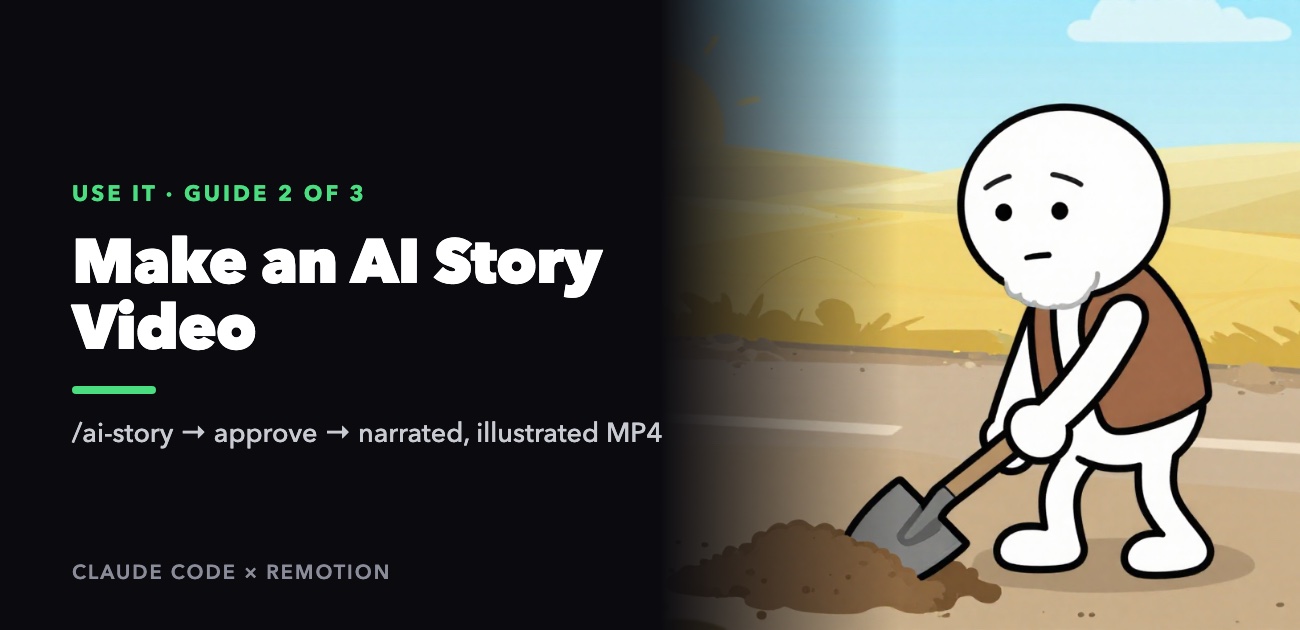
This guide walks through making an illustrated story video with the ai-story skill: a short fable, read by a calm Vietnamese narrator, illustrated with hand-drawn-style pictures that change every few seconds, under a bold two-line title. No camera, no microphone, and nothing leaves your computer — the voice and every picture are generated locally, so there's no per-video cost.
/ai-story "<a story or a theme>"  →  you approve the script  →  narration + pictures  →  out/<folder>.mp4
           ~1 minute                     your call                ~3.5 min per picture       a few minutes
The one thing to plan around: each picture takes about three and a half minutes to generate (measured on an M3 Pro MacBook with 18 GB of memory). A one-minute video has about ten pictures, so allow 35–40 minutes; a three-minute video, close to two hours. The skill always shows you the script and the time estimate before it starts drawing.
What you need
- A Mac with an Apple Silicon chip (M1 or later) and at least 16 GB of memory.
- About 7 GB of free disk space for the models.
- The project set up as in the build series, or cloned from the repository, with
cd remotion && pnpm installdone.
One-time install
brew install ffmpeg uv
node .claude/skills/ai-story/scripts/setup.mjs
node .claude/skills/ai-story/scripts/setup.mjs --check    # everything should say present
If --check says the image tool is missing from your PATH, add this line to ~/.zshrc and open a new terminal:
export PATH="$HOME/.local/bin:$PATH"
The models download the first time you use them: about 300 MB for the voice and 5.5 GB for the image model. Hugging Face throttles anonymous downloads; a free read token in the HF_TOKEN environment variable makes it much faster, and an interrupted download picks up where it stopped. You can get the big download out of the way ahead of time:
mflux-generate-z-image-turbo --model filipstrand/Z-Image-Turbo-mflux-4bit \
  --prompt "a cat" --steps 8 --width 512 --height 512 --output /tmp/warmup.png
Step 1: Give it a story
/ai-story "Có một ông lão trồng cây bên đường mà biết mình không sống tới ngày có bóng mát…"
The skill handles different kinds of input:
| You give | What happens |
|---|---|
| A story, in a few sentences or a long paragraph | Keeps the core, trims it to a natural spoken rhythm |
| Just a theme: "a video about gratitude" | Invents a concrete story with a character and a twist, and tells you it did |
| Several stories | Picks the strongest one |
| Preferences | "female Southern voice", "ink-painting style", "about 90 seconds" — in plain words, after the story |
It works well for life-lesson material: cause and effect, patience, giving without expecting a return, how to treat people. The stories that land best have a specific character, a situation, and a moment where the viewer realizes they'd understood it backwards.
Step 2: Review the script — this is the important part
The skill writes the script and then stops. You'll see:
- the two-line title, in capitals, that stays on screen for the whole video,
- a scene table: when each scene starts, how long it lasts, what the narrator says, and what the picture shows,
- the estimated length of the video and how many minutes the pictures will take.
This is the moment to change things. Once the pictures are drawn, a script change means redrawing them. Ask in plain language:
- "the title gives away the ending — make it a question instead"
- "scene 4 is too long, split it in two"
- "end with the old man doing something, not with a moral"
- "use the young man's point of view"
- "make it shorter, about a minute"
When it's right, say so ("ok", "go ahead", "duyệt"). The skill won't start drawing until you do.
The script is saved as content/<folder>/story.json, with a readable version in story.md. If you edit story.json by hand, check it afterwards:
S=.claude/skills/ai-story/scripts
node $S/validate-story.mjs content/<dir>/story.json && node $S/build-docs.mjs content/<dir>/story.json
Step 3: Narration and pictures
After you approve, the skill runs four stages:
| Stage | Takes | Produces |
|---|---|---|
| Narration | about half a minute for 3 minutes of speech | the voice track, plus exact timing for every subtitle line |
| Pictures | about 3.5 minutes each | one picture per scene in images/ |
| Layout | seconds | the timeline for the editor |
| Render | a few minutes | out/<folder>.mp4 |
The picture stage is the long one, and it's safe to interrupt: pictures already drawn are skipped next time. Let it run in the background and come back later.
If a picture comes out wrong
Look through content/<folder>/images/. If one picture is off — a character with the wrong clothes, an extra person, the wrong action — you only redraw that one:
- Tell the skill what's wrong ("in s07 the old man should be sitting, not standing"), or edit that scene's
imagetext instory.jsonyourself. Image descriptions are in English; the image model doesn't understand Vietnamese. - Redraw just that scene, then rebuild:
S=.claude/skills/ai-story/scripts
node $S/images.mjs <slug> --only=s07
node $S/build-props.mjs <slug> && node $S/render.mjs <slug>
--dry prints the exact prompt for every scene without drawing anything, which helps when you're working out why a picture came out a certain way.
If characters look different from scene to scene, their description in cast is too thin. A good description covers body shape, hair, eyes or glasses, top, bottom and one signature item (a walking stick, a basket, a scarf). The skill puts that description into every scene the character appears in.
Voices
There are 14 built-in voices. For stories, choose one of the four storytelling voices; the news voices sound like a bulletin.
| Voice | Region | |
|---|---|---|
| Thanh Bình (default) | male | Northern |
| Ngọc Linh | female | Northern |
| Thái Sơn | male | Southern |
| Thục Đoan | female | Southern |
Ask for one when you start ("đọc bằng giọng Ngọc Linh"), or set "voice" in story.json.
Using your own voice
Record 5–10 seconds of yourself reading anything, in a quiet room, with no music. Then:
node .claude/skills/ai-story/scripts/tts.mjs <slug> --ref=~/my-voice.wav --force
To always use it, put the file in content/_assets/voice/ and set "voiceRef": "../_assets/voice/my-voice.wav" in story.json. A recording with background music clones noticeably worse — the model learns the music as part of the voice — so a clean recording is worth the effort.
Art styles
| Style | Look | Character consistency |
|---|---|---|
doodle (default) | Stick figures with bold outlines and flat colors | Easiest |
tranh | Painted storybook illustration with soft lighting | Hardest |
muc | East Asian ink wash on rice paper | Easy |
Ask for one by name or describe it ("ink painting"). New styles can be added to .claude/skills/ai-story/assets/styles.json without touching any code.
Background music
The story editor plays whatever is in content/_assets/bgm/ at low volume (10%) under the narration. Put a calm instrumental there — something you have the rights to — or name a specific file in story.json with "bgm": "my-track.mp3". If the folder is empty, the video has narration only.
Check before the long wait
You can see the finished layout, pacing and subtitles before drawing a single picture:
S=.claude/skills/ai-story/scripts
node $S/tts.mjs <slug>
node $S/make-test-images.mjs <slug>          # flat-colored placeholders — overwrites images/
node $S/build-props.mjs <slug>
node $S/render.mjs <slug> --frame=240         # one frame → out/<folder>-f240.png
--studio instead of --frame opens a preview you can scrub through. Don't run make-test-images after real pictures exist — it replaces them.
What the warnings mean
| Message | Meaning | Fix |
|---|---|---|
| A scene "holds one picture for ~9s" | The picture stays up too long and the video drags | Split that scene's lines into two scenes |
| A line "lasts 7.4s" | The subtitle is on screen too long to read comfortably | Shorten the sentence or split it |
| A picture failed | The image tool errored on that scene | images.mjs <slug> --only=<id> |
| Title "is 24 characters" | The title will shrink to fit | Keep each title line under 20 characters |
| "image is in Vietnamese" | An image description has Vietnamese text | Rewrite it in English |
Common problems
| Problem | Fix |
|---|---|
mflux-generate-z-image-turbo: command not found | Add ~/.local/bin to your PATH (above) |
| The model download stalls | Set HF_TOKEN and re-run; it resumes |
| Out of memory while drawing | Close other apps. On a 16 GB Mac, lower the picture size in images.mjs |
| Subtitles appear before the voice | Re-run narration with --force |
| An extra blank figure in a picture | Make sure the scene lists every character in its cast; the skill tells the model exactly how many people are in the frame |
Posting
Upload out/<folder>.mp4. The two-line title is already in the video; use it, or a variation, as the post's caption.
To understand how the narration timing and picture prompts work, see the build guide for this skill and the local AI pipeline deep dive.