

Ask an AI coding agent for a landing page and you get the same page every time: a centred headline, a small uppercase label above it, three icon cards, a soft purple gradient and a row of fake logos. Nothing in it is wrong, and nothing in it was decided.
Agent skills are the fix that has finally started to work. A skill is a folder of instructions, references and scripts that Claude Code loads when a task matches it, so the agent works from a trained point of view instead of the average of everything it has seen. This week I installed the three most talked-about frontend design skills for Claude Code and pointed them at a real site: this blog.
This post covers what each skill does, how to install them globally in one command each, which one to reach for when, and what happened when I let them loose on siri2moon.com. One of the results got rejected, and that turned out to be the most useful lesson.
TL;DR
| Skill | Install | Best at | Think of it as |
|---|---|---|---|
| Emil Kowalski's skills | npx skills add emilkowalski/skill | Animation, interaction feel, component polish | A design engineer reviewing your motion |
| Impeccable | npx skills add pbakaus/impeccable | Audits, critique, polish, design systems | A design director with 23 commands |
| Taste Skill | npx skills add Leonxlnx/taste-skill | Landing pages and marketing sites that don't look AI-made | An art director plus a browser-based inspector |
Use Taste Skill to build a new page, Impeccable to audit and polish an existing one, and Emil's skills for anything that moves.
What is a Claude Code skill?
A skill is a directory with a SKILL.md file. Its frontmatter has a name and a description, and Claude Code reads every description at startup. When your request matches one, the agent loads the full instructions, along with any reference files or scripts the skill ships.
~/.claude/skills/
└── impeccable/
    ├── SKILL.md          # name, description, the instructions
    ├── reference/        # loaded only when a command needs them
    └── scripts/          # tools the agent can run
Skills differ from a long system prompt in two ways:
- They load on demand. The descriptions are short, and the 50 pages of typography and motion guidance only enter the context when you are actually doing design work.
- They can ship tools. A skill can run a real browser, measure your page and hand the numbers back to the agent. That turns "make it look good" into a check that passes or fails.
Installing the three skills globally
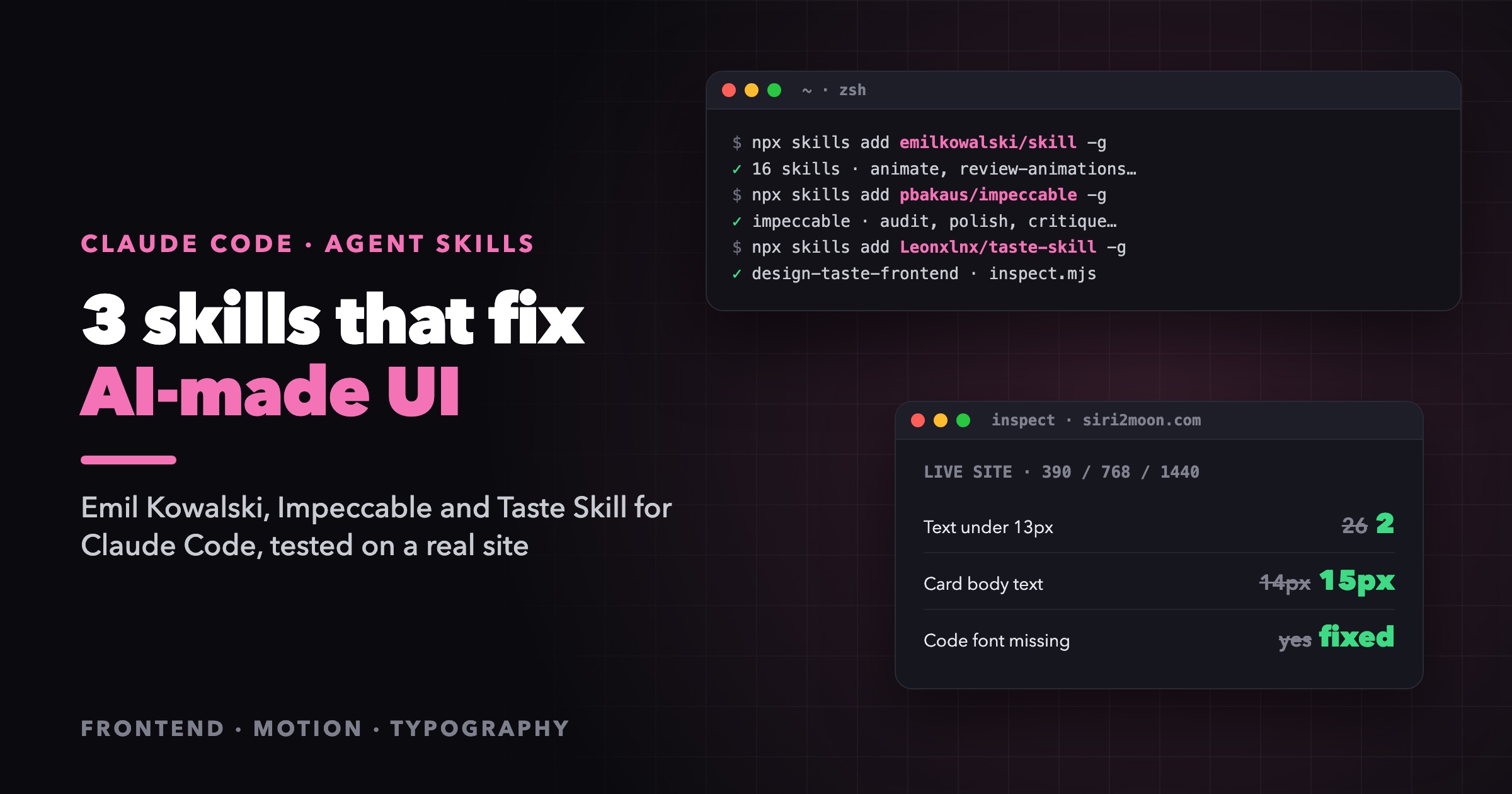
The skills CLI installs a skill from a GitHub repository. I want these in every project, so I install them globally (-g) for Claude Code (-a claude-code), take every skill in the package (-s '*') and skip the prompts (-y):
npx skills add emilkowalski/skill   -g -a claude-code -s '*' -y
npx skills add pbakaus/impeccable   -g -a claude-code -s '*' -y
npx skills add Leonxlnx/taste-skill -g -a claude-code -s '*' -y
They land in ~/.claude/skills/ (or in $CLAUDE_CONFIG_DIR/skills if you run Claude Code with a custom config directory, which I do). Restart Claude Code and they show up in the skill list.
Tip: if you keep separate Claude Code profiles, a global install only goes into the profile the CLI resolves. Check that the folder exists in the profile you actually use.
1. Emil Kowalski's skills: motion that feels right
Emil Kowalski built Sonner and Vaul and teaches animation for the web. His package is not one skill but 16. The core one, emil-design-eng, encodes his design-engineering philosophy, and the rest are focused tools:
| Skill | What it does |
|---|---|
emil-design-eng | The philosophy: when to animate, which easing, how fast, how components should feel |
animate | Builds one animation from scratch, deciding in the right order |
review-animations | Reviews motion code against a high craft bar. "Default to flagging; approval is earned" |
find-animation-opportunities | Read-only: finds places that should animate, and rejects the ones that shouldn't |
remove-animations | Finds and removes motion the interface doesn't need |
animation-performance | Keeps animations inside the frame budget, finds why one drops frames |
break-ui | Feeds your UI worst-case data: long names, missing fields, emoji, huge counts |
mobile-native | Small CSS and meta fixes that make a web app feel installed on a phone |
apple-design, animate-expo, ask-sonner, pick-ui-library, prototype, animation-vocabulary, improve-animations, write-swift | Springs and gestures, React Native, Sonner, library choice, live variants, a motion glossary, motion audits, modern Swift |
What makes it useful is that it gives you decisions, not taste words. The first question is always whether something should animate at all:
| How often the user sees it | Decision |
|---|---|
| 100+ times a day (keyboard shortcuts, command palette) | No animation, ever |
| Tens of times a day (hover, list navigation) | Remove or drastically reduce |
| Occasionally (modals, drawers, toasts) | Standard animation |
| Rarely (onboarding, celebrations) | Can add delight |
Then it gets specific: UI animations stay under 300 ms, entering elements use a strong ease-out such as cubic-bezier(0.23, 1, 0.32, 1), nothing scales in from scale(0) (start at 0.95 with opacity), popovers scale from their trigger and only transform and opacity get animated. Pressable things get a subtle press state:
.button {
  transition: transform 160ms ease-out;
}

.button:active {
  transform: scale(0.97);
}
Reviews come back as a Before / After / Why table, which is easy to apply and easy to argue with.
Reach for it when you add or review any motion, build a component library, or your app "works but feels cheap".
2. Impeccable: a design director with commands
Impeccable, by Paul Bakaus, is the broadest of the three. It covers the whole frontend: layout, typography, colour, motion, UX copy, accessibility, responsive behaviour and native iOS and Android screens.
It works through 23 commands, grouped by what you're doing:
| Category | Commands |
|---|---|
| Build | shape, init, document, extract |
| Evaluate | critique, audit |
| Refine | polish, bolder, quieter, distill, harden, onboard |
| Enhance | animate, colorize, typeset, layout, delight, overdrive |
| Fix | clarify, adapt, optimize |
| Iterate | live, generate |
Ask for audit the blog or make the pricing page bolder and it loads that command's playbook. Two ideas run through all of them:
- Modes. Every surface is Persuade (landing pages), Operate (dashboards, tools), Read (docs, articles) or Experience (portfolios). Ambition scales with the mode. A landing page gets a bold point of view; an article page gets precision and restraint.
- Refinement preserves, redesign replaces. A refinement keeps the identity, copy and behaviour you already have and fixes the details. A redesign deliberately replaces the look. The skill tells the agent never to split the difference by "polishing" a look it was asked to throw away.
It also keeps project memory in two files: PRODUCT.md (who the product is for and what it must do) and DESIGN.md (the tokens, components and rules). Every later command reads them, so the tenth change respects decisions made in the first. A bundled impeccable detect command scans your files for known anti-patterns and returns them as JSON.
Reach for it when you have an existing product and want a proper audit, a polish pass before launch, a documented design system, or one targeted change like "this is too loud".
3. Taste Skill: landing pages that don't look AI-made
Taste Skill (design-taste-frontend) calls itself the anti-slop frontend skill. Its author studied 247 curated gallery sites from One Page Love and Awwwards Sites of the Day, and turned what separated the best ones from the forgettable ones into a process:
- Inventory the subject. List 8 to 12 things only this client has: its name and what it means, its street, its numbers, the one constraint it lives with.
- Draw a direction.
scripts/draw.mjsdeals three of 20 researched directions. The agent picks the one that can carry something from the inventory, and the script deals its type system, palette, hero and section layouts. - Find the idea. One sentence: on this page, [something that belongs to the subject] becomes [the device the direction calls for]. If the sentence still works with a competitor's name in it, it's a category idea, not an idea.
- Build, then gate.
scripts/inspect.mjsopens the page in real Chrome at 1440, 768 and 390 px, measures the house rules and saves screenshots. - Look and fix. The agent critiques its own screenshots, fixes the top three problems and repeats, up to three rounds.
The house rules are strict, and they are measured rather than hoped for: headlines of two lines or fewer, no eyebrow labels, no monospace decoration, no "01 / 02 / 03" numbering, no gradients, no resting shadows, no violet, no faded body text, and at least four real pictures on a page. A bundled assets.mjs searches open collections (Wikimedia Commons, Openverse, the Met, the Art Institute of Chicago) for commercially usable images and records their credits.
You can also run the inspector on its own against any URL:
node ~/.claude/skills/design-taste-frontend/scripts/inspect.mjs https://siri2moon.com \
  --out .taste-skill/home
Reach for it when you're building a new landing page, product site, portfolio or one-pager, or someone says your site "looks AI-generated".
The real test: I pointed all three at this blog
Feature lists are cheap, so I gave the three skills one job: make siri2moon.com more professional. Better layout, better colour, more consistent type, across the home page, the article pages and the static pages.
Round 1: the redesign, rejected
The skills did exactly what they're built to do. Taste Skill's rules flagged the glows, gradients, glass cards and uppercase labels the site is built on, and the agent rebuilt the look to clear them: 37 files changed, 660 lines added and 1,186 removed. On paper it passed far more checks than the original.
I looked at it and said what any site owner would: this is much uglier than the old one. Keep the old style, just standardise it.
The redesign was technically cleaner and still wrong, because the brief was mine to set and I never asked for a new identity. The dark night sky, the glow and the gradient headings are siri2moon. Impeccable's own rule says it plainly: refinement keeps the incumbent identity; redesign replaces it. Asking for "more professional" on a site you like is a refinement, and an agent with strong opinions will treat it as a redesign unless you say otherwise.
The whole attempt went into a git stash, not the bin, so nothing was lost.
Round 2: standardise, don't restyle
The second pass used the same three skills as measuring tools instead of art directors. I ran Taste Skill's inspector on the live pages, kept every finding that was about legibility or correctness, and ignored every finding that was about the look I chose. What it found was real:
| Problem the inspector measured | Fix |
|---|---|
| 26 text blocks smaller than 13 px (labels at 11 px) | Redefined Tailwind's text-xs as 13 px, so nothing readable goes below it |
| Card body text at 14 px in mid grey | 15 px, one grey step lighter |
| Marquee, Q&A labels, archive dates and footer headings under 4.5:1 contrast | Moved up one grey step each |
| Article code asked for Fira Code, which was never loaded | System monospace stack (SF Mono, Menlo, Cascadia Code…) |
Inline code used word-break: break-all, splitting short names mid-word | word-break: normal; overflow-wrap: anywhere |
| Cookie banner wrapped onto several rows on a phone | One row, shorter copy, smaller buttons |
The type floor is a single change in tailwind.config.ts, and every existing text-xs in the codebase picks it up:
fontSize: {
  // 13px floor for small text (labels, meta, captions), so nothing read is smaller.
  xs: ["0.8125rem", { lineHeight: "1.125rem" }],
},
The result: one commit touching 13 files, the same look, and small text down from 26 blocks to 2 on both the home page and the article page. The two left are the logo's tagline and the ⌘K hint, kept on purpose. The inspector still reports "failures" for the glows and gradients, and that's fine: those are choices, not mistakes.
What I learned
- Say "refine" or "redesign" out loud. It's the single sentence that decides whether you get a fix or a new website.
- The tools are better than the opinions. A headless browser measuring contrast, font sizes and fonts that never loaded found bugs I had shipped for months. The verdicts on taste are the part to argue with.
- Keep the failed attempt. A stash cost nothing and made rejecting the redesign a five-second decision instead of a lost afternoon.
Which skill should you use?
| Your situation | Start with |
|---|---|
| Building a new landing page or marketing site | Taste Skill |
| An existing product needs an audit or a pre-launch polish | Impeccable (audit, then polish) |
| You want a design system written down | Impeccable (document, extract) |
| Adding or reviewing animations | Emil's animate and review-animations |
| The app works but "feels cheap" | Emil's emil-design-eng, then mobile-native |
| Checking a UI survives real data | Emil's break-ui |
| Quick objective checks on a live URL | Taste Skill's inspect.mjs |
They work well together because they overlap less than you'd think: Taste Skill decides what the page is, Impeccable keeps the whole product consistent, and Emil's skills make the parts that move feel right.
FAQ
Are these skills free?
Yes. All three are public GitHub repositories you install with npx skills add. Taste Skill's inspector needs Node 22+ and an installed Chrome, Edge or Chromium, and nothing else.
Do they work outside Claude Code?
A skill is plain Markdown plus scripts, so most of it works in any agent that supports the skills format. The skills CLI can target other agents with -a. These commands use -a claude-code.
Will they slow down my agent or fill the context window?
Not noticeably. Only the short descriptions load up front. The full instructions and references load when a task matches, and Impeccable loads a command's playbook only when you run that command.
Will they change my site's style?
They can, and they will if you let them. Taste Skill in particular bans gradients, glows and violet. If you like your current look, say "refine, keep the current style" in your first message. That's the lesson from round 1 above.
Can I install them for a single project only?
Yes. Drop the -g flag and the skill installs into the project's .claude/skills/, where you can commit it so your whole team gets it.
Wrapping up
Design skills don't give an agent taste on their own. They give it a process, a vocabulary and, best of all, tools that measure. Pair that with a clear brief (refine or redesign, keep or replace) and Claude Code goes from producing the average landing page to giving you design review you can actually use.
If you try them on your own project, I'd love to hear which one earned its place.

Work with me
Building something like this?
I'm Binh — an AI & cloud engineer with 11+ years shipping production software. I take on consulting and build work. Tell me what you're working on and where it's stuck.