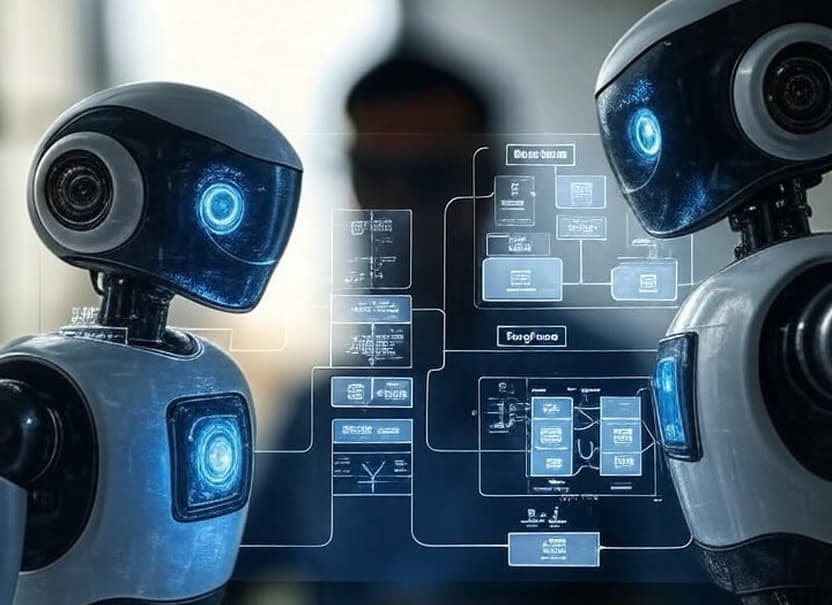

As AI software engineers, we're witnessing a paradigm shift in how we build intelligent applications. The LangChain ecosystem has emerged as a comprehensive framework that transforms how we architect, implement, and maintain LLM-powered systems. This series will explore LangChain, LangGraph, and LangSmith from a practitioner's perspective, focusing on real-world implementation patterns and production considerations.
Why LangChain Matters
The Problem Space
Before LangChain, building LLM applications meant:
- Writing boilerplate code for each LLM provider
- Manually handling prompt templates and chain logic
- Building custom solutions for memory management
- Implementing retry logic and error handling from scratch
- Creating bespoke monitoring and debugging tools
The LangChain Solution
LangChain provides:
- Unified Abstractions: Consistent interfaces across different LLM providers
- Composability: Build complex chains from simple, reusable components
- Production-Ready: Built-in error handling, retries, and streaming support
- Ecosystem Integration: Seamless connection to vector stores, tools, and agents
The Three Pillars
1. LangChain: The Foundation
The core framework for building LLM applications with:
- Chains and prompt templates
- Document loaders and text splitters
- Vector stores and retrievers
- Memory systems
- Agent frameworks
2. LangGraph: The Orchestrator
A graph-based approach to building stateful, multi-agent applications:
- State machines for complex workflows
- Conditional branching and loops
- Checkpointing and recovery
- Distributed execution
3. LangSmith: The Observer
Production monitoring and debugging platform:
- Trace every LLM call
- Debug prompt templates
- Monitor performance and costs
- Dataset management and testing
Architecture Overview
# Modern LangChain Architecture
┌─────────────────────────────────────────┐
│           Application Layer              │
│    (Your Business Logic & UI)           │
└────────────────┬────────────────────────┘
                 │
┌────────────────▼────────────────────────┐
│          LangGraph Layer                 │
│   (Workflow Orchestration & State)       │
└────────────────┬────────────────────────┘
                 │
┌────────────────▼────────────────────────┐
│          LangChain Core                  │
│  (Chains, Agents, Memory, Tools)        │
└────────────────┬────────────────────────┘
                 │
┌────────────────▼────────────────────────┐
│         LLM & Infrastructure             │
│   (OpenAI, Anthropic, Vector DBs)       │
└─────────────────────────────────────────┘
                 │
┌────────────────▼────────────────────────┐
│          LangSmith                       │
│   (Monitoring & Debugging)               │
└─────────────────────────────────────────┘
Getting Started
Installation
# Core packages
pip install langchain langchain-openai langchain-anthropic
pip install langgraph
pip install langsmith

# Additional dependencies for production
pip install langchain-community
pip install chromadb  # Vector store
pip install tiktoken  # Token counting
Environment Setup
import os
from dotenv import load_dotenv

load_dotenv()

# Essential API keys
os.environ["OPENAI_API_KEY"] = "your-api-key"
os.environ["LANGCHAIN_TRACING_V2"] = "true"
os.environ["LANGCHAIN_API_KEY"] = "your-langsmith-key"
os.environ["LANGCHAIN_PROJECT"] = "production"
Your First Chain
from langchain_openai import ChatOpenAI
from langchain_core.prompts import ChatPromptTemplate
from langchain_core.output_parsers import StrOutputParser

# Initialize model
llm = ChatOpenAI(
    model="gpt-4",
    temperature=0,
    max_retries=3,
    timeout=30
)

# Create prompt template
prompt = ChatPromptTemplate.from_messages([
    ("system", "You are an expert {role} assistant."),
    ("human", "{question}")
])

# Build chain using LCEL (LangChain Expression Language)
chain = prompt | llm | StrOutputParser()

# Execute
response = chain.invoke({
    "role": "Python developer",
    "question": "How do I implement async context managers?"
})
Key Concepts for Engineers
1. Abstraction Layers
LangChain provides multiple abstraction levels:
- Low-level: Direct LLM calls with retry logic
- Mid-level: Chains and prompt templates
- High-level: Agents and autonomous systems
2. Streaming First
Modern LLM applications require streaming:
async for chunk in chain.astream(input_data):
    # Process each token as it arrives
    yield chunk
3. Error Handling
Production systems need robust error handling:
from langchain_core.exceptions import OutputParserException
from tenacity import retry, stop_after_attempt, wait_exponential

@retry(
    stop=stop_after_attempt(3),
    wait=wait_exponential(multiplier=1, min=4, max=10)
)
async def robust_chain_call(chain, input_data):
    try:
        return await chain.ainvoke(input_data)
    except OutputParserException as e:
        # Handle parsing errors
        logger.error(f"Parsing failed: {e}")
        return fallback_response()
What's Next?
In the upcoming posts, we'll dive deep into:
- LangChain Deep Dive Part 1: Core components and patterns
- LangChain Deep Dive Part 2: Advanced chains and agents
- LangGraph Mastery: Building stateful applications
- LangGraph Advanced Patterns: Production implementation guide
- LangSmith in Production: Monitoring and optimization
Conclusion
The LangChain ecosystem represents a maturation of LLM application development. As engineers, we now have production-grade tools that handle the complexity of AI systems while providing the flexibility needed for innovation. This series will equip you with the knowledge to build robust, scalable, and maintainable AI applications.
Series Navigation
This is Part 0 of the LangChain Series.
Next: Part 1 - LangChain Fundamentals: Core Components →
Complete Series:
- Part 0: Introduction to LangChain Ecosystem (You are here)
- Part 1: LangChain Fundamentals - Core Components
- Part 2: LangChain Fundamentals - Chains and Agents
- Part 3: LangGraph - Building Stateful Applications
- Part 4: LangGraph - Advanced Patterns
- Part 5: LangSmith - Production Monitoring
Tags: #LangChain #LangGraph #LangSmith #AI #LLM #Python